
Top 7 Micro-SaaS Tools to Simplify Portfolio Management in 2026

Founders are no longer building oversized management platforms filled with unnecessary features. Instead, they are starting focused, high-impact micro SaaS ideas that do an amazing job of solving one clear problem. These lightweight solutions are easier to build, cost less to maintain, and allow small teams to scale efficiently. When designed properly, they generate predictable total revenue and deliver sustainable average profit margin growth through subscription-based recurring models. This guide can help you find the best micro SaaS ideas for 2026 or advanced portfolio management platforms. It goes beyond just making lists and focuses on fixing real problems with investments. You will learn how to find opportunities that are in high demand, test your ideas, and make AI-powered solutions that can grow. These tools can help modern investment teams manage risk better and make their portfolios work better. Portfolio Management Market Outlook (2025-2026) Market trends suggest strong growth in the global portfolio management software market between 2025 and 2026. Metric 2025 Value 2026 Forecast Growth (CAGR) Market Size (USD) $3.41 Billion $3.71 Billion 10.26% Cloud Deployment Share 76% ~78% High AI Integration Rate ~35% >80% Exponential 7 Powerful Tools for Better Portfolio Management In 2026, portfolio management tools will move away from large enterprise platforms. Instead, many companies will use focused micro SaaS solutions. These tools help venture capital firms, private equity funds, and asset managers solve everyday serviceable challenges more efficiently. These are the categories that have the biggest effect on growth. 1. VC Portfolio KPI Automation Platforms These micro SaaS tools automate portfolio data collection from founders. Key features: Automated extraction of KPIs Templates for standardized reports Dashboards that show performance in real time Reports for investors who are ready for LP Why it matters: Venture firms today need data that is clean and consistent. Automated portfolio management tools cut down on the need for manual follow-ups and delays in reporting. 2. Capital Call and Distribution Management Tools Designed for private equity and emerging funds, these tools automate capital operations. Core capabilities: Capital call scheduling Distribution tracking Compliance documentation Investor notification systems These tools for managing application portfolios eliminate spreadsheet-driven fund operations. 3. Fixed Income Risk Monitoring Dashboards Many SaaS platforms focus on equities. Fixed income remains underserved. Leading portfolio management tools for fixed-income investments now include the following: Duration tracking Seeing the yield curve Alerts for interest rate exposure Simulations for stress testing As rates become more volatile, specialized tools give you a strategic edge. 4. AI-Powered Investment Thesis Builders These micro SaaS tools assist investment teams in structured research. Capabilities include: Market trend aggregation Sector growth signal detection Predictive analytics Historical backtesting They help firms reduce bias and strengthen decision-making frameworks. 5. Investor Reporting Automation Engines Quarterly reporting consumes time and resources. Best-in-class VC tools for portfolio management now offer: Real-time portfolio syncing LP template standardization Branded PDF exports Engagement tracking metrics Automation improves both accuracy and investor transparency. 6. Startup Burn Rate and Runway Predictors Cash runway is a critical risk indicator. Modern portfolio management tools now integrate the following: Automated burn tracking Scenario modeling Funding round simulations Risk alerts for at-risk companies These tools allow proactive portfolio intervention. 7. Workflow Orchestration and API Integration Tools Micro SaaS is no longer just software. Tools that high-growth companies use include: Link dashboards and CRMs Connect accounting platforms Start automated reports Put all portfolio data streams in one place Architecture that ranks integration is now a key feature of scalable portfolio management tools. What Makes a Micro SaaS Idea Successful in 2026? Not every micro SaaS tool idea can grow or make money. Validation, technical architecture, and long-term positioning will be important for success in 2026. Use this proven framework to see if your idea has real market potential before you start building your product. 1. A Clear and Recurring Pain Point The best micro SaaS tools solve one clear and ongoing problem. Before building a product, ask yourself: Is this problem important for your target audience? Does it happen often? Are people already paying to fix it? For example, many investment firms need advanced portfolio management tools and application portfolio management tools to improve reporting accuracy and automation. When your product solves real pain points, it is more likely to attract loyal users and repeat customers. Clear pain points lead to repeat business. 2. A Narrow and Defined Target Market Broad markets make it less likely that people will convert. It’s easier to find customers and set the right price for your product when you choose a specific niche. Instead of looking for “financial software,” look for the following: Venture capital firms that need dashboards to track performance Asset managers looking for information about fixed income Funds that need to automatically report to investors Highly targeted positioning makes micro SaaS tools more popular and speeds up the process of getting them approved, which is crucial for asset managers looking for efficient solutions to meet the reporting requirements of fixed income funds. 3. Seamless Integration Capability SaaS products today can’t work by themselves. Your answer must fit with the following: Ways to keep track of customer relationships Accounting software Tools for analytics Dashboards for making reports For example, the best VC portfolio management tools connect with portfolio data, KPI systems, and investor reporting tools. It’s no longer optional to have good API compatibility. It is necessary for scaling. 4. Recurring Revenue Potential The best micro SaaS companies use subscription models that are tied to value that can be measured. Ask: Does your tool help you save time? Lower risk? Improve decision-making accuracy? Make reporting more efficient? High-quality portfolio management tools create steady subscription revenue by helping businesses track finances and manage operations better. 5. Fast and Lean MVP Possibility Speed is important in 2026. You should be able to: Check the idea Start a working MVP Try it out with real people In 60 to 90 days. A structured micro SaaS guide helps you stay focused and work only on the most important features that deliver
How Slow Website Speed Affects User Experience & Sales

In today’s fast-moving digital environment, each minute counts. Whether it is for running an e-commerce site, showcasing a personal portfolio, or operating a website for service provision, slow performance on the site can quietly yet profoundly affect one’s revenue. The impacts include a negative user experience, lost opportunities, and lower search engine rankings. This blog delves into how extended load times affect user behavior and sales while providing strategies to improve page speed and enhance SEO. Why Speed Matters: Users Are Impatient Modern users have zero tolerance for slow performance online: Nearly 47% of people expect a webpage to load in 2 seconds or less. If a page takes longer than three seconds to load, more than half of mobile visitors are likely to leave. Slow websites see higher bounce rates, damaging engagement and conversions. In an age where people can swipe through apps or tap on another tab, a slow website loading instantly introduces friction. When users get frustrated, they bounce, meaning they leave your site before taking any action. This can significantly impact both engagement and conversions. Impact on User Experience (UX) User experience (UX) goes beyond aesthetics and content; performance drives it. And when your WordPress website is loading slowly, or the overall site takes too long to render, users feel it instantly. 1. Higher Bounce Rates When a site loads slowly, most users would not stay on the page long enough to even see your offer. According to studies, a 53% abandonment rate happens when the load time exceeds 3 seconds on mobile. That means prospects don’t scroll, don’t explore, and ultimately, they don’t convert. 2. Poor Perception & Trust Speed is the first impression of your brand. Sites that are slow are seen as unprofessional and not reliable, which creates distrust. This, in turn, impacts user behavior. Most importantly, it impacts their chances of consuming your content or purchasing your product. 3. Lower Engagement The time taken to load a website implies that people are interacting less with the website. This implies that the more they wait for the site to load, the shorter their attention span gets. Impact on Sales & Conversions Slow site speed doesn’t just frustrate users; it directly impacts revenue. 1. Direct Conversion Loss A 1 second delay can reduce conversions by up to 7% in e-commerce, which can equal millions in lost annual revenue. For example, every extra second of load time can shave off a chunk of sales your store would have made, even before your visitor sees your product. 2. Opportunity Cost on Page Views A slow page doesn’t just lose conversions, it loses page views and the opportunity to lead users through your funnel. Less time on site means fewer page visits and less exposure to your offers. 3. Cart Abandonment Slow checkout pages are a major contributor to abandoned carts. When users face delays during purchase processes, they often leave. SEO: Slow Speed Hurts Your Rankings Too Website performance isn’t just a UX issue; it’s an SEO issue. Search engines like Google use page speed and related metrics (Core Web Vitals) as ranking factors. Slower sites often rank lower in search results, meaning less organic traffic, which leads to fewer leads and sales. Here’s how speed affects SEO: Pages that load faster seem to rank better, as they provide a better user experience. Google places significant importance on the performance of mobile sites in its search results because its “mobile-first Sites that have a lower page load speed may suffer from reduced visibility, impressions, and even clicks. This leads to a vicious circle: slow speed → bad user experience → lower search engine rankings → lower traffic → lower sales. Common Mistakes That Slow Down Websites If your site is running slow, the cause is usually one (or more) of the following common culprits: 1. Large Images Not Optimized Poor page loading is usually caused by heavy, uncompressed images. Optimizing them (e.g., using WebP format) can cut load times. 2. Too Many HTTP Requests Every element on your page (scripts, styles, images) adds to load time; reducing unnecessary files improves speed. 3. No Caching or Poor Hosting If your site doesn’t cache and isn’t with a high-performance host, the server has to generate that content from scratch each time, resulting in slower delivery. 4. Bloated Scripts & Plugins Especially for WordPress sites, too many plugins or poorly coded themes can drag performance to a crawl. 5. Missing Compression and CND Not using compression (Gzip/Brotli) or a Content Delivery Network (CDN) means global users load your site more slowly. How to Check the Load Time of Your Website Before optimizing, you need to measure your site’s performance. Here are the most reliable tools to test load time on a website and diagnose issues: Google PageSpeed Insights — provides detailed breakdowns and improvement suggestions. GTmetrix — visual waterfall reports and performance grades. WebPageTest.org — in-depth measurements across regions and devices. Pingdom Tools — quick performance tests with easy-to-read results. Regular testing helps you track improvements and catch regressions early — especially after design changes or content updates. How to Improve Speed: Page Speed Optimization for SEO Here are some steps to take to improve your website’s performance and achieve both UX and SEO success: 1.Compress Resize Images Use tools like image plugins to compress images without loss of quality. 2. Enable Caching Browser caching and server caching minimize the load times for returning visitors. 3. Use a CDN Make your site visible worldwide to ensure users are accessing your content off a server that is closest to them. 4. Minify CSS & JavaScript Shred out unnecessary code to minimize the overhead. 5. Choose Better Hosting Faster server or managed hosting service with optimization tools. Every improvement, including minor ones such as saving fractions of a second, may represent substantial differences with respect to participation or revenue. In an environment where the attention span is short and the competition is high, a slow site is not only a
Lead Generation in Digital Marketing: How to Improve Lead Quality

The lead generation process is one of the most critical processes in digital marketing for businesses across the globe. From small and medium-sized enterprises in Ahmedabad to global B2B brands. But here’s the harsh reality: Not all leads are created equal. Some leads may look good on paper, may look good in quantities, and may even look good on the dashboard. It is where time, money, and frustration accrue, making it necessary to know why this is occurring and how it can be corrected in order to achieve growth. Unpack the common lead generation challenges, their impact on businesses, and actionable strategies to fix the problem, especially if you’re navigating lead generation in digital marketing, unqualified leads, or B2B lead generation challenges. 1. The Mirage of “Good Leads” – What’s Really Happening? Digital marketing campaigns often produce lots of leads, form submissions, webinar sign-ups, eBook downloads, newsletter subscribers, etc. These metrics look good from a vanity perspective. But the critical question is: Are these leads qualified, genuinely interested, and likely to buy? The answer, more often than not, is no. Industry research shows that 80% of leads go unqualified or un-nurtured, meaning sales teams often waste time chasing prospects who aren’t ready to buy. Even more revealing: 79% of marketing-generated leads never convert to sales. So what’s going wrong? 2. Why High Lead Numbers Don’t Equal Sales Lead Quality vs. Lead Quantity Marketing teams sometimes focus too much on generating large volumes of leads without qualifying them, meaning: Visitors fill out a form for a free guide, but aren’t actually ready to purchase. Users submit generic contact details with no real intent. Campaigns attract the wrong audience or broad demographic groups. This results in unqualified leads, contacts that meet some basic criteria but lack real buying intent. Leads that are qualified marketing leads (MQLs) are supposed to be more promising, yet even a small fraction convert. In fact, many organizations report that only about 20% of MQLs transition to sales-ready leads (SQLs), severely limiting ROI. 3. The Core Problems Behind Unqualified Leads a. Poor Targeting & Buyer Understanding It is for this reason that, without clear buyer personas, campaigns have been casting their nets too wide. The result is high traffic with low-value leads that do not fit your ICP. b. Inconsistent Lead Scoring Lead scoring, assigning value to prospects based on behavior, is crucial. Without it, everyone looks like a “hot lead,” but most aren’t. In B2B, especially, inaccurate scoring means sales chase leads that should never have been flagged in the first place. c. Lack of Proper Nurturing Even good leads need nurturing. Surprisingly, 65% of B2B businesses do not have a robust lead nurturing process, allowing potentially good leads to go cold. d. Slow Follow-Up Timing matters. Leads contacted within minutes of conversion are significantly more likely to convert than those followed up after hours or days. e. Sales & Marketing Misalignment When marketing hands over leads that sales consider low-quality, internal conflict arises, and conversion rates suffer. 4. Lead Generation Challenges You Must Address Whether you’re a small business or a B2B enterprise, these issues are common: 1. Quality Over Quantity Is Still the #1 Challenge Over 61% of marketers say generating high-quality leads is their biggest issue. 2. Poor Conversion Rates Throughout the Funnel Even when leads enter the pipeline, they often don’t move smoothly through it due to inconsistent qualification and follow-up processes. 3. Data Issues Incomplete and/or incorrect lead data undermines this effort, leading to wasted time and money. 4. Lack of Lead Qualification Criteria Without clear criteria defining a sales-ready lead versus a marketing-ready lead, sales teams chase the wrong prospects. 5. Inadequate Nurture & Engagement Leads do not buy immediately. Not even in the B2B business. Customers engage with several content pieces before a buy is made. 5. The Real Cost of Unqualified Leads Chasing poor leads doesn’t just waste time but money as well. Sales reps can waste a lot of time on unproductive contacts. The marketing budget is spent on campaigns that do not guarantee returns on investment. The conversion rates remain static even if the traffic is increasing. Internal friction develops between sales and marketing groups. Brand reputation can also be diminished if the outreach appears irrelevant. 6. Strategies to Turn “Good Looking” Leads into Actual Sales Here’s how you can transform your lead generation engine: Define Your Ideal Customer Profile (ICP) Be specific: industry, company size, buying intent, pain points, decision-maker roles, and tailor campaigns to attract those leads. Implement Lead Scoring Every lead should be graded based on behavior (clicks, downloads, webinar attendance), engagement, and fit. Nurture Leads Before Sales Touch Use targeted email sequences, personalized content, and value-driven follow-ups to warm up leads before they ever talk to sales. Use Marketing Automation + AI Tools. Automation streamlines follow-up, delivers timely content, and increases lead conversion. For example, AI lead qualification can reduce follow-up time from 48 hours to minutes, boosting conversions significantly. Align Sales & Marketing Teams Shared KPIs, regular communication, and joint campaigns ensure both teams focus on real buyers rather than volume alone. Track & Optimize Continuously Use analytics to evaluate what channels generate actual conversions, not just clicks or form fills. SEO, content quality, and campaign messaging all influence lead quality. 7. Turning the Tide for Small Business Marketing Problems Small businesses often lack the resources of larger enterprises, meaning lead generation challenges can hit harder. To address this: Focus on inbound strategies like content marketing and SEO, which are often more cost-effective than cold outreach. Deploy local SEO tactics to attract nearby customers actively searching online. Build trust and authority with educational content that solves real problems. Leverage social proof and testimonials to attract leads with buying intent. Partner with the Experts: SilverXis Navigating the complexities of lead generation in digital marketing requires more than just a “set it and forget it” ad campaign. It requires a strategic partner who understands the nuance of B2B lead generation challenges and the
Top DevOps Containerization Challenges That Disrupt Modern Workflows
In today’s rapidly evolving software development landscape, combining containerization in DevOps has become almost synonymous with modern, scalable, and cloud-native delivery. According to recent industry studies, more than 90% of organizations are using or evaluating containers in some capacity, and up to 95% of new digital workloads are expected to run on containerized platforms by 2025. Yet amidst the hype, many teams struggle to realize the full potential of DevOps containerization. While container technologies like Docker and Kubernetes have unlocked unprecedented portability and efficiency, they have also introduced new challenges, creating DevOps problems and friction in workflows, slowing down releases, complicating tooling, and undermining team productivity. In this blog, we’ll unpack what containerization is in DevOps, why it matters, and explore the containerization problems creating friction in DevOps workflows, along with practical strategies for DevOps optimization and DevOps troubleshooting. Understanding Containerization in DevOps Before diving into the challenges, it’s crucial to establish a baseline understanding. Containerization is the practice of packaging an application together with all of its dependencies into a lightweight, portable unit called a container. These containers run consistently across environments, from local developer laptops to staging servers and production clusters, eliminating many of the compatibility issues that plagued traditional deployment models. In DevOps, a cultural and operational movement that merges software development (Dev) and IT operations (Ops), containerization plays an instrumental role. It accelerates continuous integration and delivery (CI/CD), supports microservices architectures, and enhances collaboration by ensuring every stakeholder works with reproducible environments. Why Containerization Matters to DevOps Adopting containerization and DevOps brings strategic advantages: Portability & Consistency Containers encapsulate applications and dependencies, meaning the same container runs identically across environments. This drastically reduces “it works on my machine” scenarios, which traditionally slowed deployments. Faster Deployment Cycles Lightweight and fast to start, containers facilitate rapid builds, tests, and pushes, the very essence of DevOps optimization. This agility translates into more frequent releases, faster feedback loops, and higher delivery throughput. Support for Microservices and Scalability Containers make it easier to adopt microservices, breaking monolithic apps into modular, independently scalable components. This aligns well with automated orchestration tools like Kubernetes, which manage deployment lifecycles at scale. The Friction: Containerization Problems in DevOps Workflows Despite its benefits, integrating containerization within DevOps introduces friction. These DevOps problems disrupt workstreams and require thoughtful mitigation. 1. Steep Learning Curve & Skill Gaps One of the most frequently reported challenges with DevOps containerization is the lack of experienced personnel. Containers and orchestration tools like Docker and Kubernetes have steep learning curves, especially for teams new to cloud-native technologies. Without proper training, developers and ops engineers waste time troubleshooting basic container issues or misconfigurations. 2. Security Complexities & Vulnerabilities Security remains a top concern. In fact, 67% of organizations report slowing container deployments due to security concerns, while nearly half have faced revenue or customer impact related to container/Kubernetes security incidents. Containers share a host OS kernel. Misconfigurations, poorly maintained base images, and inadequate secret management can expose systems to vulnerabilities. 3. Monitoring and Observability Challenges As applications scale, containers proliferate rapidly. A typical modern ecosystem can consist of hundreds or thousands of short-lived containers, making monitoring, log collection, and analytics extremely complex. Basic metrics like throughput or latency become fragmented across microservices, complicating troubleshooting and performance tuning. 4. Data Persistence & Statefulness Containers excel at stateless services but struggle with stateful workloads like databases. Ensuring data consistency across restarts, backups, and scaling events introduces architectural overhead. 5. Toolchain Integration Complexity Container orchestration is just one piece of the DevOps toolchain. Integrating CI/CD tools, registries, security scanners, and monitoring platforms into a cohesive workflow is often harder than the technology itself. Tool sprawl, where each phase uses a different vendor stack, leads to poor compatibility, inconsistent pipelines, and governance issues. 6. Configuration Drift and Environment Mismatch Containers promise “Write once, run anywhere.” But environmental dependencies, network policies, and runtime configurations can drift between local and production, resulting in intermittent bugs. Strategies for Smoother DevOps Workflows To get the most out of containerization and minimize DevOps troubleshooting overhead: Standardize Container Practices Develop clear standards for image creation, versioning, and tagging. This reduces inconsistencies and simplifies reproducibility, a key part of DevOps containerization success. Shift Left on Security Incorporate security testing earlier in CI/CD pipelines. Automatic scanning of container images and runtime policies will reduce last-minute surprises. Observability by Design Monitor everything. Logs, metrics, and distributed traces should come online as core components of any container-native architecture. Invest in Automation Automate mundane tasks like health checks, scaling policies, and deployment rollouts. Kubernetes and declarative configurations champion automation that reduces toil. Moving Toward Frictionless DevOps Containerization is a powerful tool, but it is not a “set it and forget it” solution. To truly master DevOps containerization, teams must address the complexities of security, storage, and orchestration head-on. By focusing on DevOps optimization and proactive DevOps troubleshooting, you can turn these friction points into competitive advantages. Stop Fighting Your Infrastructure – Start Scaling with SilverXis Are DevOps problems slowing down your release cycles? Don’t let container friction stall your innovation. At SilverXis, we specialize in removing the complexities of containerization in DevOps. Whether you need to optimize your Kubernetes orchestration, secure your image pipeline, or implement high-performance GEO-optimized clusters, our experts are here to help. Contact SilverXis today to schedule a consultation and transform your containerized workflow into a high-speed delivery engine. FAQs Is custom software better than off-the-shelf? If your needs are unique or you want a competitive edge, yes. Custom software adapts to you, whereas you must adjust to off-the-shelf tools. How long does the development process take? A typical project can range from 3 to 9 months, depending on complexity. We focus on delivering value in phases so you can start seeing impact early. Will I own the source code? With SilverXis, absolutely. You retain 100% ownership of the Intellectual Property (IP). If your needs are unique or you want a competitive edge, yes. Custom software adapts to you, whereas you must adjust to off-the-shelf
How Legacy Application Modernization Challenges Limit Scalability
With the race for digital transformation among businesses, scalability has become an imperative. Businesses require solutions that can easily adjust to changes in the market, customer needs, and opportunities for growth. Yet many enterprises remain anchored to outdated systems. While legacy application modernization promises agility and innovation, the challenges involved often become a hidden barrier to scalability. Recognizing these challenges and finding ways to overcome them is essential for companies seeking to remain competitive in a rapidly changing digital landscape. What Is Legacy Application Modernization? Legacy Application Modernization refers to the activity of upgrading or renovating outdated software applications to meet the latest technology and business needs. This can be done by re-platforming, re-architecting, refactoring, or migrating the legacy application to the cloud. The goal of application modernization is not just to update old code but to unlock flexibility, improve performance, enhance security, and enable scalability. Modernization is often complex, particularly when legacy systems are deeply integrated into core business operations. Why Scalability Suffers with Legacy Systems Scalability depends on how easily systems can handle increased workloads, users, or data without performance degradation. Legacy systems were never designed with modern scalability demands in mind, and modernization efforts often encounter roadblocks that slow or even stall growth. Let’s explore the most common challenges that limit scalability. 1. Rigid Architecture and Outdated Design Many legacy applications are built on monolithic architectures, tightly coupled components, and obsolete programming languages. These rigid structures make it difficult to scale individual functionalities without scaling the entire system. Organizations often find that merely updating legacy applications is insufficient for modernization. Without a flexible, modular architecture, such as microservices or cloud-native designs, scalability remains limited. Impact on scalability: Limited ability to scale specific features Increased infrastructure costs Slower response to business growth 2. High Complexity and Technical Debt Years of patches, custom integrations, and undocumented changes result in massive technical debt. This adds complexity to the process of modernization, making it risky, time-consuming, and costly. Without a clear application modernization strategy, teams struggle to identify dependencies, assess risks, and prioritize improvements. As a result, scalability initiatives are delayed or compromised. Impact on scalability: Longer deployment cycles Higher failure rates during upgrades Reduced system reliability 3. Integration Challenges with Modern Technologies Legacy systems may not be compatible with new tools, APIs, and platforms. It becomes a challenge to integrate them with cloud services, analytics, or automation platforms. For businesses pursuing legacy application migration to the cloud, integration issues can prevent them from fully leveraging cloud scalability, elasticity, and cost optimization. Impact on scalability: Inability to adopt cloud-native services Data silos and inefficient workflows Slower innovation cycles 4. Data Migration and Security Risks Data is at the heart of scalability, but legacy systems store data in outdated formats or tightly coupled databases. During legacy application migration, ensuring data integrity, compliance, and security becomes complex. Security vulnerabilities in legacy applications also pose significant risks. Modern scalable systems require robust security frameworks that legacy platforms often lack. Impact on scalability: Limited data accessibility Increased risk of breaches Compliance challenges as data volumes grow 5. Lack of Skilled Resources Modernization involves specialized skills in cloud platforms, DevOps, containerization, and modern frameworks. Most organizations do not have the skills in-house, making it challenging to implement an effective strategy for legacy application modernization. Without experienced application modernization services, projects may stall, exceed budgets, or fail to deliver scalable outcomes. Impact on scalability: Inconsistent modernization results Increased dependency on outdated systems Delayed growth initiatives 6. Poor Performance Under Increased Load Even after partial modernization, legacy systems may have problems handling additional users or transactions. Performance bottlenecks may arise when systems are driven beyond their original design parameters. This is especially common when organizations modernize interfaces but leave core logic untouched, a common pitfall when teams are unclear about how to modernize legacy applications holistically. Impact on scalability: Slow response times Poor customer experience Reduced operational efficiency Building a Scalable Application Modernization Strategy To address these issues, a planned and forward-looking approach to application modernization strategy is required. A successful approach will include the following: Application assessment: Identify which systems to modernize, replace, or retire Phased modernization: Reduce risk by modernizing in manageable stages Cloud adoption: Enable elasticity through legacy application migration to the cloud Architecture redesign: Move toward modular, microservices-based systems Automation and DevOps: Improve speed, reliability, and scalability Partnering with experienced providers of legacy application modernization services ensures that modernization efforts are aligned with long-term scalability goals. Why the Right Modernization Partner Matters Modernization is not just a technical upgrade; it’s a business transformation. Choosing the right application modernization services provider can mean the difference between scalable growth and ongoing operational bottlenecks. A strong partner helps you: Reduce technical debt Minimize disruption to business operations. Ensure security and compliance. Design systems that scale with demand Takeaways Legacy systems not only hinder innovation but also hinder scalability. Although legacy application modernization provides a clear direction to move ahead, the difficulties associated with legacy application modernization can hinder growth if not managed properly. Organizations can turn their legacy systems into agile systems by adopting effective legacy application modernization techniques and planning for scalability from the beginning. At SilverXis, we specialize in end-to-end legacy application modernization services designed to help businesses scale securely and efficiently. From application assessment and modernization strategy to cloud migration and optimization, our experts ensure your systems are built for growth, not held back by the past. Talk to SilverXis today and discover how modernizing your legacy applications can unlock true scalability and long-term digital success. FAQs Is custom software better than off-the-shelf? If your needs are unique or you want a competitive edge, yes. Custom software adapts to you, whereas you must adjust to off-the-shelf tools. How long does the development process take? A typical project can range from 3 to 9 months, depending on complexity. We focus on delivering value in phases so you can start seeing impact early. Will I own the source code? With SilverXis,
Why DevOps Deployment Issues Often Start With Environment Gaps
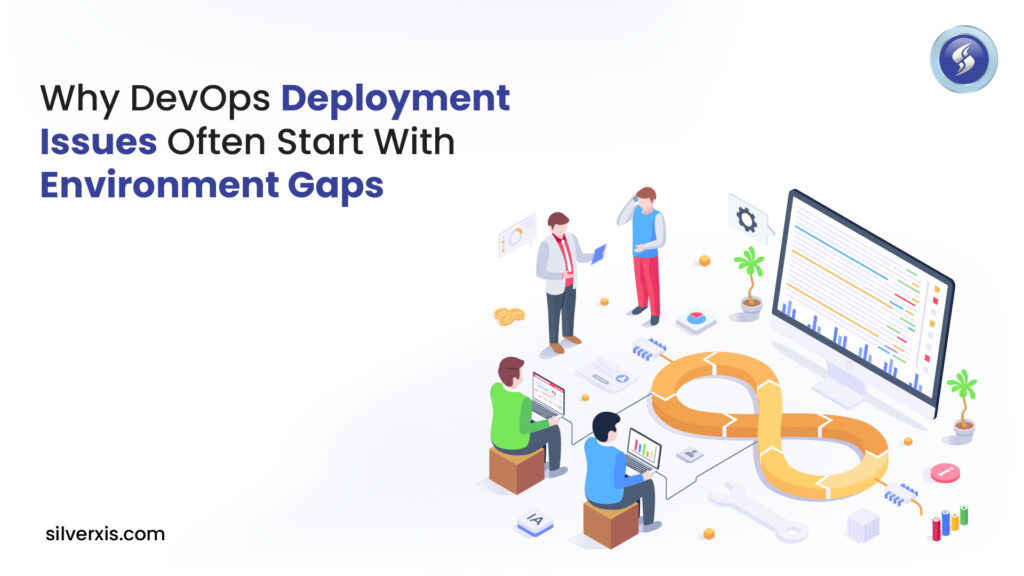
DevOps issues are inevitable, but most of them trace back to a surprisingly common source: environment gaps. These differences appear in the form of inconsistencies between the development, staging, and production environments, and this results in unpredictable system behavior during releases, deployment issues, and higher operational risks. It is important to understand the reasons for these differences and how to correct them with the appropriate DevOps best practices if a team wants to achieve scalable software delivery. What Are Environment Gaps : And Why Do They Matter? When a developer writes, tests, and validates code in one environment. Still, the infrastructure or configuration differs even slightly, unpredictable behavior can emerge, “it worked on my machine” becomes legendary for a reason. Environment gaps occur when two or more environments (e.g., dev, QA, staging, production) introduce differences in variables such as: Installed software versions Networking settings Environment variables Security policies Infrastructure configurations These discrepancies often don’t show up until deployment, causing deployment issues in DevOps pipelines that are hard to diagnose and resolve, resulting in release delays and customer impact. One major culprit? Configuration drift occurs when a system’s actual state slowly diverges from its intended or documented state. How Environment Gaps Trigger DevOps Failures 1. Latent Bugs Only Surface in Production There could be a configuration or a dependency that exists in the development environment. Still, if it is not present or is set up differently in the staging or production environment, the tests could pass, but the deployment will fail. Such hidden differences cause last-minute firefighting and devops issue tracking, which is a waste of time and morale. 2. Increased Risk of Configuration Drift Configuration drift refers to untracked changes that accumulate as systems are updated manually or inconsistently across environments. Without tools to version and enforce consistency, drift naturally emerges. 3. CI/CD Pipeline Fragility Despite the best intentions with DevOps continuous deployment, if environments aren’t consistent, the Continuous Integration and Continuous Deployment (CI/CD) pipeline will only automate flawed processes. Errors propagate faster, meaning failures occur more rapidly. What Happens Without DevOps : And Environment Management? A common question teams ask is: “What is one issue that can occur without DevOps?”, and the answer often lies in deployment chaos caused by unreproducible environments. Organizations without DevOps suffer from slow deployments, unreliable releases, manual handoffs, and siloed knowledge, all of which amplify the risk of bottlenecks when releasing software. According to industry data, organizations that adopt DevOps practices report: 2.8× more frequent software deployments 51% lower change failure rates 70% faster detection and recovery from failures 58% improved software quality 24% more likely to be high performers in the industry. In comparison to companies without mature DevOps cultures. These stats clearly show how a lack of DevOps and environment standardization directly undermines performance, reliability, and business agility. DevOps Best Practices That Prevent Environment Gaps If environment gaps are the hidden fault line beneath deployment failures, then best practices are the bedrock that prevents these cracks. 1. Infrastructure as Code (IaC) Infrastructure as Code is the single most effective technique to prevent environmental inconsistencies. IaC tools (e.g., Terraform, CloudFormation) describe infrastructure in version-controlled code, eliminating manual configuration, ensuring repeatability, and drastically reducing configuration drift. 2. Fully Automated CI/CD Pipelines A robust CI/CD pipeline enforces consistent builds, testing, and deployments across environments, giving teams confidence that a tested artifact behaves the same way at every stage. Automation also enforces standardized deployment processes instead of manual, error-prone tasks. 3. Containerization for Parity Containers encapsulate apps with dependencies, ensuring code runs identically whether in development or production. This environmental parity is especially crucial for teams practicing DevOps continuous deployment, reducing “works on my machine” problems to near zero. 4. Continuous Monitoring and Environment Audits Real-time monitoring and regular audits help teams detect when an environment deviates from expected states, a core part of configuration drift management. Solutions like version control, telemetry dashboards, and drift-detection tooling alert engineering teams before issues impact production. 5. Frequent Post-Incident Reviews Post-incident reviews form a loop in DevOps continuous improvement by capturing lessons from failures and feeding them back into process refinements, automation scripts, or architecture decisions. It’s not enough to fix bugs; teams must evolve so similar errors don’t repeat. A Closer Look: Continuous Deployment and Environment Parity For professional teams that seek to achieve DevOps continuous development, techniques such as Blue Green or Canary deployments are employed. These approaches help to mitigate risks by ensuring that one environment is thoroughly tested before full production deployment. Through this approach, you are able to reduce the effects of environmental differences. One famous example of why this matters comes from a large failed deployment that paralyzed millions of systems and caused high costs, a sobering reminder that environments must be consistent before pushing changes live. Why DevOps Environment Gaps Remain an Issue Despite the evolution of DevOps toolchains, environment gaps persist, not because engineering teams are incompetent, but because: Environments are managed differently across teams Manual fixes silently change state. Legacy infrastructure resists modernization. Inadequate testing environments obscure real-world conditions. Even with great tooling, culture and process play a huge role, strong collaboration, shared responsibility, and continuous learning are deeply tied to avoiding deployment friction. Don’t Let Environment Gaps Stall Your DevOps Success If you want your team to operate at elite levels, deploying frequently, with low failure rates and fast recovery, eliminating environment gaps should be a top priority. With DevOps best practices such as Infrastructure as Code, automated CI/CD pipelines, containerization, and strong post-incident processes, can dramatically reduce deployment issues in DevOps. Remember: most deployment issues start not with the code itself, but with the environment into which it’s deployed. Fixing the environment gap is like fixing the foundation; it stabilizes everything above it. Take the Next Step With SilverXis At SilverXis, we specialize in helping organizations strengthen their DevOps maturity, from eliminating environment gaps to implementing best-in-class automation, drift prevention, and continuous improvement strategies. Optimize your DevOps journey. Contact SilverXis today and unlock seamless deployments like industry
Why Your Off-the-Shelf Software Fails Once Teams Scale Fast

During the early phases of starting or growing a business, prepackaged software appears to be a gift from God. It is inexpensive, fast, and can be implemented in a matter of minutes. You can sign up for a service and send invitations to all ten members of your team to use the product. There you have it: a Customer Relationship Management System (CRM), a project management system, and a payroll system! However, as the clock strikes 2026, the environment of business scaling has changed. Scaling teams, particularly those that handle hourly employees, are discovering that the solutions that helped them walk are now hindering them from running. As per the latest industry trends in 2026, the global custom software market is set to expand from $50.6 billion in 2026 to over $213 billion in 2035, a staggering 17.3% CAGR. If your business is doubling every six months and your existing infrastructure is groaning under the pressure, it’s clear that something needs to change. Here’s why your off-the-shelf computer software is probably letting you down and why the move to custom software is no longer an indulgence, but a necessity. 1. The “Feature Bloat” vs. “Functionality Gap” Paradox Most commercial off-the-shelf software (COTS) is designed for the “average” user. To appeal to the widest possible market, developers pack these apps with thousands of features. Research shows that the average employee only uses about 40% of the features in their provisioned SaaS licenses. For a fast-growing team, this means: Cognitive Overload: Your team spends more time navigating complex menus for features they don’t need than actually working. The Missing 5%: While the software has 1,000 features you don’t need, it likely lacks the one specific workflow (like a unique hourly shift-swapping logic) that is critical to your particular operations. When comparing off-the-shelf vs. custom software, the latter is built only with the tools you need. It eliminates the noise, allowing hourly teams to focus on execution rather than “fighting” the interface. 2. The Integration Ceiling As teams scale, they don’t just use one piece of software; they use a tech stack. Most organizations are unable to integrate advanced technologies, such as artificial intelligence, owing to integration problems; of the 95% of organizations reporting integration challenges in 2026, they will be primarily caused by the silos created by using multiple disparate software applications. 3. Escalating Costs of the “Cheap” Option The primary draw of an off-the-shelf software solution is the low entry cost. However, fast-growing companies often fall into the “Success Tax” trap. Per-User Pricing: What costs $50/month for 10 people suddenly becomes $5,000/month for 1,000 people. Tethered Feature Gates: Most companies only want one advanced reporting feature scaled as much as possible. So, the price of that feature is three times what they pay for Enterprise tier facilities to upgrade the entire team to that one advanced report feature across all your teams. Studies now show that the Total Cost of Ownership (TCO) for off-the-shelf tools often exceeds that of custom builds within three to five years. There is more than just an initial cash outlay difference when comparing custom software with off-the-shelf products; there are also differences in the long-term return on investment (ROI). While a custom solution may have a higher initial cost, it will not require the monthly rental (or lease) expense associated with maintaining an efficient enterprise operating system (EOS). Custom software vs. off-the-shelf isn’t just a debate about upfront investment; it’s about long-term ROI. A custom build might cost more today, but it eliminates the monthly “rent” on your own operational efficiency. 4. Rigid Workforces Require Flexible Tech Fast-growing hourly teams, such as those in retail, hospitality, or logistics, operate in a world of high volatility. Shifts change, regulations update, and consumer demand spikes overnight. Business problems solved with custom software often center around this need for flexibility. Generic tools struggle with: Hyper-local Compliance: If you scale across state lines, an off-the-shelf tool might not handle the specific labor laws of a new jurisdiction. Proprietary Edge: If your competitive advantage is a specific, faster way of fulfilling orders, using the same software as your competitor effectively “neutralizes” your secret sauce. “When every competitor is using the same software, differentiation becomes impossible. You aren’t just buying a tool; you’re buying your competitor’s limitations.” 5. Data Sovereignty and the AI Era In 2026, data is the engine of growth. Software solutions for fast-growing hourly teams now increasingly rely on predictive analytics to forecast labor needs. If you are using a generic platform, you don’t truly “own” the depth of your data. It is often trapped in a proprietary format, making it difficult to run custom AI models or get real-time insights. Custom solutions allow you to own your data architecture from day one, ensuring that as you scale, your data becomes an asset rather than a locked-away liability. Feature Off-the-Shelf Software Custom Software Upfront Cost Low High Scalability Linear (Costs increase with users) Exponential (Fixed cost, higher efficiency) Workflows You adapt to the software Software adapts to you Competitive Edge Zero (Everyone has it) High (Proprietary logic) Integration Limited/Rigid Seamless/Bespoke The Human Element From a humanitarian and leadership perspective, the “failure” of software isn’t just technical, it’s human. When employees are forced to use clunky, non-intuitive systems, productivity drops and turnover rises. In a McKinsey report, it was noted that 87% of organizations face skill gaps; adding “difficult software” to the mix only exacerbates the problem. It shows that leadership understands the unique pains of their workforce and is willing to invest in a foundation that supports them rather than constrains them. Final Thoughts: When to Make the Switch? If you notice that your managers are spending more than 20% of their time on “workarounds,” then you are officially outgrowing the shelf. Additionally, if your software licensing costs are increasing at a rate of growth that exceeds your revenue, this is another indicator of outgrowing your current systems. The shelf is a great place to start, but it
How to Choose the Right Digital Marketing Tools for Your Business Goals
While selecting the appropriate technology stack has become a “nice-to-have” for businesses, it is now the driver for growth. As we continue to navigate our way through 2026, the world’s digital advertising and marketing market is estimated to reach a staggering figure of $786.2 billion (WordStream, 2026). With such high stakes, the difference between a thriving campaign and a wasted budget often comes down to the digital marketing tools you choose to support your goals. However, with thousands of platforms available, the “paradox of choice” is real. Whether you are a solo entrepreneur or looking for the best tools for digital marketing agency workflows. 1. Aligning Tools with Your Core Business Goals Before searching for the top digital marketing tool, you must define what success looks like. Tools are meant to solve problems, not create them. Goal: Brand Awareness – Focus on tools for digital marketing that prioritize reach and engagement, such as social media management suites (Hootsuite, Sprout Social). Goal: Lead Generation – You need robust digital marketing agency tools that offer CRM integration and automated funnel tracking (HubSpot, Salesforce). Goal: Organic Growth – High-authority seo tools for digital marketing are non-negotiable here (Semrush, Ahrefs). 2. The Power of Data: Market Research & Reporting You cannot manage what you cannot measure. In 2026, data is the “new oil,” but only if you have the right refinery. Digital Market Research Tools Understanding the audience is the first step. Digital market research tools like AnswerThePublic or Google Trends help you identify what your customers are searching for in real-time. According to recent stats, 81% of shoppers research online before making a purchase (GE Capital Retail Bank). If you aren’t using research tools to meet them at that research phase, you’re losing 80% of your potential market. Digital Marketing Reporting Tools For agencies, transparency is the currency of trust. Utilizing digital marketing reporting tools like Looker Studio or NinjaCat allows you to consolidate data from various channels into one dashboard. 3. The SEO & Content Pillar Organic search remains the most sustainable traffic source. In fact, 53% of all website traffic comes from organic search. To capture this, your toolkit must include professional seo tools for digital marketing. Keyword Research: Identifying high-intent, low-competition terms. Technical Audits: Using the ebest tools for digital marketing to find broken links or slow-loading pages that hurt your rankings. Competitor Analysis: Seeing exactly which keywords your competitors are bidding on or ranking for. 4. The Rise of Efficiency: Best AI Tools for Digital Marketing 2026 is the year of the “AI-Augmented Marketer.” We are no longer just using AI for chat; we are using it for predictive analytics and hyper-personalization. The best AI tools for digital marketing today include: Jasper & Copy.ai: For scaling high-quality content while maintaining brand voice. Surfer SEO: Combining AI with search data to optimize content for 1st-page rankings. Albert.ai: An AI “pilot” that automates ad buying and optimization across social and search. 5. How to Evaluate a New Tool (The Checklist) When considering a new addition to your stack, ask these four questions to ensure it meets EEAT standards: Integration: Does it “talk” to your existing CRM and email platforms? Scalability: Will this tool work even when your lead volume triples? Data Security: Is it GDPR/CCPA compliant? (Vital for building customer trust). Learning Curve: Does the vendor provide enough support and documentation? Tool Category Primary Function Top Recommendation for 2026 SEO Rankings & Traffic Semrush Reporting Data Visualization Looker Studio AI Content Scaling Production Jasper AI All-in-One CRM & Automation HubSpot 6. Industry Statistics You Can’t Ignore ROI of Email: Email marketing continues to offer an average ROI of $36 for every $1 spent. Video Dominance: 91% of businesses use video as a marketing tool, making video-focused tools like Descript or Sora essential. Budget Shifts: 72% of overall marketing budgets are now allocated to digital channels. Strategy Over Software The best tools for digital marketing are useless without a clear strategy. A tool is a lever; your strategy is the fulcrum. First, pick one “pain point”, maybe your reporting takes too long, or your SEO efforts have stagnated, with the specific tool in mind to address it. Elevate Your Strategy with SilverXis Navigating the complex world of digital tools can be overwhelming. At SilverXis, we don’t just provide services; we build high-performance digital ecosystems. You may need a trusted digital marketing agency to manage all your tools or develop a personal strategy yielding tangible ROI. We are here to help you scale. Ready to transform your digital presence? Contact SilverXis today for a free Audit! FAQs Is custom software better than off-the-shelf? If your needs are unique or you want a competitive edge, yes. Custom software adapts to you, whereas you must adjust to off-the-shelf tools. How long does the development process take? A typical project can range from 3 to 9 months, depending on complexity. We focus on delivering value in phases so you can start seeing impact early. Will I own the source code? With SilverXis, absolutely. You retain 100% ownership of the Intellectual Property (IP). If your needs are unique or you want a competitive edge, yes. Custom software adapts to you, whereas you must adjust to off-the-shelf tools. A typical project can range from 3 to 9 months, depending on complexity. We focus on delivering value in phases so you can start seeing impact early. With SilverXis, absolutely. You retain 100% ownership of the Intellectual Property (IP).
Ecommerce SEO for Beginners to Pros: Full Strategy & Optimization Guide
The digital shelf is more competitive than ever before. As we find ourselves sailing through 2026, the global ecommerce market size is expected to be worth around USD 151.5 Trillion by 2034. This isn’t just a statistic for those of us who own ecommerce stores; it’s a warning sign. The battle out here is stiff, and the ‘set and forget’ paradigm of marketing and advertising is long dead. In today’s competitive digital marketplace, having an ecommerce website is one thing, but having high-intent customers find it naturally is quite another. It is at this stage that having the right ecommerce SEO strategy becomes mission-critical. For new businesses, building an ecommerce SEO strategy can be critical to powering growth, and for large companies, optimization can be used to less dependence on ads. In this detailed ecommerce SEO guide, we will break down a comprehensive approach that will help you progress from beginner to expert, ensuring tangible outcomes in terms of visibility, traffic, and conversions. Why Ecommerce SEO Optimization Is Mandatory Investing in optimizing ecommerce SEO is a matter of ecommerce survival. According to research data, search engine optimization is the main ecommerce traffic driver: Traffic Volume: Organic search accounts for roughly 53% of all website traffic for ecommerce stores by 2025/2026 (Source: BrightEdge). Discovery: Approximately 40–43% of ecommerce site traffic comes from organic search channels. Revenue: Nearly 24% of ecommerce orders originate directly from organic search. These statistics highlight the fact that even now, customers rely on search engines for finding products and even for purchase decisions. Why is an ecommerce website SEO strategy so important? It directly affects your bottom line. Step 1: Master Keyword Research for Ecommerce Before you begin to optimize individual pages, you have to be familiar with the language of your target market. Good ecommerce keyword research is the foundation of all product, category, and blog posts on your site. The emphasis of modern research techniques is no longer on high-volume ‘head terms’ but rather on complex and intention-based searches: Informational Intent: “How to clean suede boots” (top of funnel). Commercial Intent: “Best waterproof hiking boots 2026” (middle of funnel). Transactional Intent: “Buy Timberland Pro boots size 10” (ready to buy). Step 2: Leverage Ecommerce SEO Audit Services “Technical audit” is the initial step on your path to sustainable growth, which helps you identify “silent killers” of your site’s performance. By utilizing professional ecommerce SEO audit services, you can identify: Crawlability Issues: Making sure Google can see your products. Core Web Vitals: Web Vitals for speed, including INP (Interaction to Next Paint). Duplicate Content: Overcoming “thin content” problems that often exist in large catalogs. Step 3: Build Your Ecommerce SEO Checklist Creating a checklist for ecommerce SEO will help you ensure that you are covering the smaller details that are the key components for huge rankings on search engines. Your checklist must have four main components that are divided into quadrants: On-Page Elements: Optimized title tags, meta descriptions, and H1s for every product. Technical Foundation: Implementation of an XML sitemap, optimization of a robots.txt file, and HTTPS security. Content Strategy: Creating buyer guides and FAQs that answer common customer questions. Rich Snippets: Application of schema markup on Ecommerce sites (Product, Reviews, and FAQs) Step 4: Optimize Product and Category Pages Product and category pages are where most ecommerce stores live or die in search results. To stand out, you must move beyond the manufacturer’s stock descriptions. Unique Descriptions: Write benefits-driven copy that incorporates ecommerce seo tips naturally. Visual SEO: Use high-quality images with optimized alt text. User Signals: Embed reviews and ratings. This provides fresh natural language content that search engines love and builds the trust element of EEAT. Step 5: Content as a Growth Engine Content plays a central role in ecommerce SEO best practices. It allows you to capture users early in the buying journey. Research has indicated that online shopping sites using blogs increase their organic search website traffic by 55% compared to those not using blogs (HubSpot). Focus on: Buyer Guides: “Everything you need to know before buying a 4K projector.” Comparison Posts: “Product A vs. Product B: Which is right for you?” How-to Articles: They can help you meet EEAT (Experience, Expertise, Authoritativeness, Trustworthiness) guidelines set by Google. Step 6: Technical SEO for Ecommerce Behind the scenes, technical SEO for ecommerce determines your site’s “searchability.” In 2026, search engines are smarter, prioritizing sites with clean architectures. Site Structure: Ensure any product is no more than three clicks away from the homepage. Mobile-First Performance: With several ecommerce searches happening on mobile devices, your mobile UX must be flawless. Internal Linking: Use internal links to spread ranking juice from high-authority pages to new product arrivals. Step 7: Track, Measure, and Refine Sustainable growth for ecommerce websites isn’t achieved by “hacking” the search system but rather by receiving constant visibility and establishing a brand that search systems trust. It’s by following this ecommerce SEO guide step by step that the foundation for a successful future is set. Why Partnering with Experts Matters It’s a monumental task to manage hundreds or even thousands of products, as well as keep up with weekly changes made by Google’s algorithms. Seeking the best ecommerce SEO services can be a strategic move. SilverXis can bring value as a service provider for holistic businesses in the ecommerce industry. Our brand of service includes, but is not limited to, our ecommerce SEO audit service, comprehensive optimization, and strategies for ecommerce business optimization. Our team of professionals will help business brands not just be present in the results but also be dominant. Navigating the mysteries of the 2026 digital marketplace is no longer a guessing game. Instead, at SilverXis, we don’t sell a service; we sell a relationship based on data, clarity, and deliverability. Take your online store to the next level with professional SEO services that generate results. Contact SilverXis today to develop your customized SEO solutions. FAQs Is custom software better than off-the-shelf? If your needs are unique or
PPC Marketing Explained: How Pay-Per-Click Advertising Drives Faster Leads
Companies of all shapes and sizes are always on the lookout for effective ways to market their business in today’s world. This is where PPC marketing comes in – a type of performance-based marketing that can help companies quickly produce leads and traffic. If you have ever asked yourself the question of what is PPC marketing is or how it compares to SEO, then this guide is here to help you out with all the information you need. What Is PPC Marketing? Understanding the Basics PPC marketing’s meaning is simple: advertisers pay a fee each time someone clicks on their ad. Instead of waiting for organic ranking improvements, you buy placements on search engine results pages (SERPs), social media platforms, marketplaces, and other channels that support pay-per-click advertising campaigns. This model puts your brand front and center right when prospective customers are searching for products or services like yours. For example, platforms like PPC marketing Google (Google Ads) let advertisers bid on keywords related to their business. When users search with those terms, your ad can appear at the top of the search results, generating immediate visibility and, when done smartly, high-quality leads. Why PPC Works: The Power of Immediate Visibility One of the key benefits of PPC in digital marketing is its speed. While SEO may take months to deliver results, PPC begins generating traffic almost instantly after your campaign is launched. This is because PPC ads are displayed in highly visible locations, such as above the fold or above the organic listings. Total global ad revenue (excluding political advertising) is projected to increase 8.8% in 2025 to $1.14 trillion and is projected to grow another 7.1% in 2026, evidence that organizations continue investing significantly in the lowest-funnel ad channels to generate additional business. The average PPC return is expected to double, resulting in a net return on investment of 200%, i.e., $2 generated for every dollar spent. PPC vs. SEO: Fast Leads vs. Long-Term Value One of the most common questions is how seo and PPC marketing compare. Although both are designed to increase visibility, they are used for complementary purposes: PPC provides instant results, putting your brand in front of the searcher immediately. SEO helps to create organic authority, which in turn increases free traffic. A blended strategy can often provide the best results. The data reveals that companies employing both channels experience up to 27% more conversions than companies using only PPC. How Pay-Per-Click Advertising Campaigns Drive Leads But how exactly do pay-per-click advertising campaigns produce faster leads? Here’s how it works: 1.Laser-Targeted Audience Reach PPC platforms enable you to target your audience based on keywords, location, device type, time of day, and even the type of customer intent. Whether the customer searches for “best logistics partner” or “ppc marketing near me,” PPC platforms enable you to reach them at the exact time they are interested. 2. Smart Budget Control PPC allows you to create ad campaigns based on budgets, whether it’s a company-wide or daily budget, rather than contradicting budgeting techniques. With PPC, you only incur costs when someone actually engages with your ad through clicks. Businesses of all sizes can benefit from PPC as a way to save money on advertising. 3. Real-Time Optimization With real-time data, you can monitor clicks, conversion rates, cost-per-click, and other metrics to improve your campaigns continuously. Tools such as Google Analytics, SEMrush, and other PPC marketing tools help marketers fine-tune their strategy for better results over time. 4. Fast Feedback Loop Since the results of a PPC campaign come fast, you can easily gain insight into what keywords or ads work better. Knowledge gained can also affect overall marketing plans, such as SEO or content strategy. Top PPC Marketing Tools That Amplify Performance Successful PPC campaigns are never run on instinct alone. It’s about applying the right kinds of PPC marketing tools for research, execution, optimization, and analytics. Some of the most used tools include: Google Ads – The most common platform for paid search and display campaigns. Google Keyword Planner – Helps discover keyword ideas and bid estimates. SEMrush & Ahrefs – For competitive keyword research and PPC competitor analysis. Bing Ads (Microsoft Advertising) – A cost-efficient alternative with lower average CPC in some markets. Analytics & CRM Integrations – To track conversions and customer journeys. These tools empower marketers to refine their bidding strategies, analyze performance, and improve ROI. Industry Insights: PPC Marketing by the Numbers Let’s look at some intriguing statistics further solidifying reasons why PPC remains a cornerstone of digital marketing success: 93% of marketers rated PPC as effective or highly effective in driving business growth. More than half of PPC clicks come via mobile devices Paid search accounts for nearly 39% of all digital ad spending. The average click-through rate for search ads is 3.17% among businesses. These numbers highlight PPC’s impact in generating traffic, brand awareness, and measurable results. The PPC Campaign should start with researching your competitors. You will need to look at what is working for other companies and what has not worked for them to see how you can create a better PPC campaign. Some examples of how to do this include looking at your competitors’ ad copies, keywords, landing pages, and bids using SpyFu, SEMRush, or Google Ads Auction Insights. Knowing this information will also help provide you with a comprehensive understanding of how PPC fits within your overall digital marketing strategy and how you can use PPC according to the latest trends in the marketplace and customer behavior, ensuring long-term success. PPC as Part of a Holistic Digital Marketing Strategy PPC works well independently to generate leads, combining it withSEO (for ongoing organic traffic) pushes you to the top of the search rankings quickly. Content marketing is also a valuable tool in PPC because it provides quality landing pages and keyword options for your campaigns. Social media advertising gives you the potential to further your reach through social media channels such as LinkedIn (B2B), Facebook, and