
App or Software for Business: What to Choose as You Scale

Choosing between an app or software that is custom-built and a ready-made solution is not just a technical decision. It is a business decision that affects growth, efficiency, and long-term costs. Many companies today struggle between flexibility and convenience. The right choice depends on your stage, industry, and operational complexity. Before diving into features, it helps to understand how the market behaves. Market Reality: What Businesses Are Actually Choosing Most startups begin with software packages because they are quick to deploy and affordable up front. Tools like QuickBooks, Salesforce, or Shopify are popular examples of a software package that works out of the box. However, as businesses scale, limitations start to show. According to a Gartner report, over 60% of growing mid-sized businesses invest in custom solutions within three years of scaling due to integration and flexibility challenges. This shift is not random. It is driven by operational friction. Target Market Analysis: Who Needs What? Not every business needs custom development from day one. The decision depends on operational maturity. Packaged software works best for: Startups with standard workflows Businesses with limited budgets Teams needing quick deployment Custom business apps are ideal for: Growing companies with complex processes Enterprises needing integration across systems Industries with compliance or unique workflows If your processes feel forced into a tool, it is a clear sign your business has evolved beyond basic solutions. Outgrowing standard tools often means your operations need more flexibility and alignment. This is when moving to a custom app or software becomes the smarter next step. Understanding Packaged Software A software package is pre-built software designed for mass use. It solves common business needs like accounting, CRM, or HR. Advantages of Software Packages Lower upfront cost Faster implementation Vendor support and updates Proven reliability For example, the benefits of integrated accounting software packages include automated bookkeeping, tax calculations, and compliance reporting. This reduces manual effort and human error. Limitations You Should Not Ignore Limited customization Subscription costs increase over time. Integration issues with other systems Features you do not use but still pay for Many companies end up stacking multiple tools. This creates inefficiencies instead of solving them. The Case for Custom Apps Custom business apps are built specifically for your operations. They are designed around your workflows instead of forcing your team to adapt. Why Businesses Move Towards Custom Solutions When off-the-shelf tools stop fitting, businesses look for flexibility. This is where custom app development for unique business challenges becomes relevant. A logistics company, for example, may need route optimization, live tracking, and inventory syncing in one system. No single software package can handle all of this effectively. Key Benefits of Custom Apps Let’s break this down clearly. 1. Tailored to Your Workflow Custom apps are built around how your business actually operates. This improves efficiency from day one. 2. Better Integration You can connect CRM, accounting, operations, and analytics into one system. 3. Scalability Unlike packaged tools, custom apps grow with your business. You do not need to switch platforms frequently. 4. Competitive Advantage You are not using the same tools as your competitors. This creates differentiation. 5. Automation Gains One of the biggest advantages is the custom app development workflow automation benefits: Reduced manual tasks Faster processing Fewer errors Improved team productivity McKinsey estimates that automation can increase productivity by up to 30% in operational workflows. Custom Apps vs Software Packages: A Practical Comparison Cost Higher upfront Lower upfront Flexibility High Limited Deployment Time Longer Quick Scalability Excellent Moderate Integration Seamless Often complex Ownership Full control Vendor dependent This table makes one thing clear. The decision is not about better or worse. It is about fit. Where Businesses Often Go Wrong Many companies jump straight into custom development without validating the need. Others stick too long with rigid software packages and lose efficiency. Here are common mistakes: Over-investing early in custom apps without product-market fit Ignoring long-term subscription costs of packaged tools Using multiple disconnected tools instead of an integrated system Not considering user adoption and training. The right approach is phased. A Smarter Approach: Hybrid Strategy Most successful businesses follow a hybrid model. Start with a software or app that solves immediate needs. Identify workflow gaps over time. Gradually build custom business apps for critical functions. This reduces risk while allowing flexibility. Example Consider a mid-sized retail brand. Initially, they used: Shopify for ecommerce QuickBooks for accounting A CRM tool for customer management As they grew, data silos became a problem. Inventory mismatches and delayed reporting affected decisions. They shifted to a custom solution integrating all systems into one platform. The result: 25% faster order processing Real-time inventory tracking Improved customer experience This is a classic case of moving from software packages to a unified custom system. When Should You Choose Custom Over Packaged? You should seriously consider custom development if: Your team uses workarounds daily. You rely on multiple disconnected tools. Your processes are unique to your industry. You are scaling rapidly. Data visibility is a challenge. If these sound familiar, packaged tools are likely slowing you down. Conclusion The debate between software package solutions and custom apps is not about trends. It is about alignment with business goals. Packaged tools are great for speed and simplicity. Custom apps are built for control and growth. The smartest businesses do not pick one blindly. They evolve their tech stack as they grow. If you are evaluating whether to stick with a software package or build a custom solution, SilverXis can help you make the right call. From strategy to execution, we design systems that fit your business, not the other way around. Talk to SilverXis today and build an app or software solution that actually works for your growth. FAQs What is real-time supply chain tracking? Using digital tools like IoT devices, GPS systems, and cloud platforms, real-time supply chain tracking lets businesses keep an eye on supply chain activities all the time. These tools give businesses real-time data that helps them keep track of
Custom-Built Software or SaaS: Which Is Right for Business?
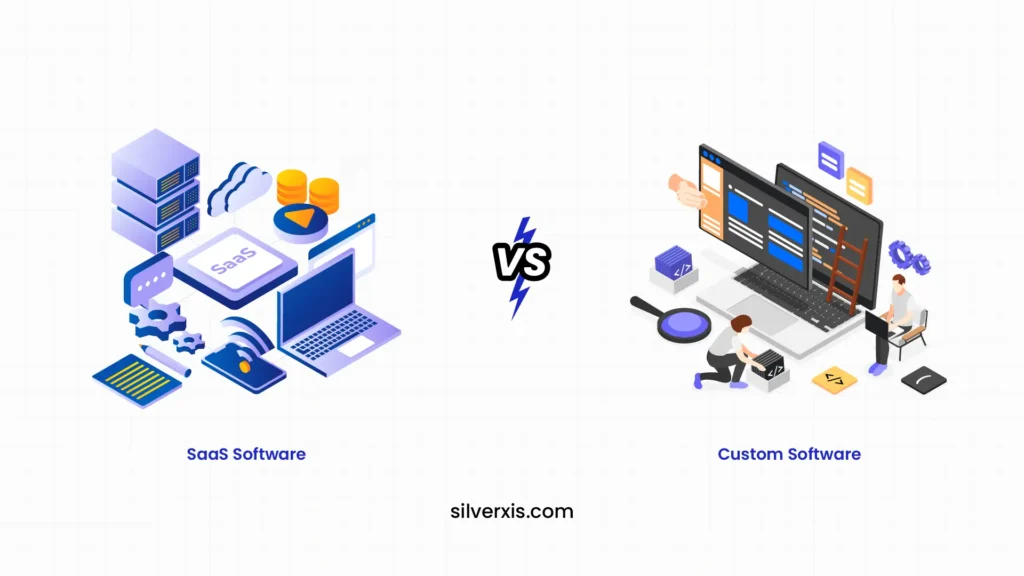
Most businesses don’t start with this question. It shows up later, usually when things stop working as smoothly as they once did. At the beginning, SaaS feels like the perfect answer. It is quick, affordable, and does the job. But as operations grow, teams expand, and workflows become complex, that same simplicity starts creating friction. That is when businesses begin to seriously evaluate whether custom built software makes more sense. Why SaaS Works So Well in the Beginning SaaS tools are designed for speed. You sign up and log in, and you are ready to go. No development cycles. No infrastructure setup. That is why early-stage companies rely heavily on tools like Shopify, HubSpot, or Slack. These are common examples of SaaS that solve immediate needs without requiring technical investment. The advantages of SaaS are clear. You get lower upfront costs, automatic updates, and minimal maintenance. For a business trying to move fast, that matters more than anything else. But over time, what made SaaS convenient can start to feel restrictive. When SaaS Starts Slowing You Down As your business grows, your needs become more specific. And SaaS, by design, is built for the masses. You might find yourself adjusting your workflow just to fit the tool. Or using multiple platforms that don’t integrate properly. Costs begin to rise as you add more subscriptions. Teams waste time switching between systems. At this stage, many businesses start exploring alternatives to SaaS. Not because SaaS is bad, but because it is no longer enough. This is also where the idea to migrate your SaaS solution to a custom-built software starts gaining traction. What Makes Custom-Built Software Different Custom-built software is not designed for everyone. It is designed for you. Instead of adapting your operations to fit a tool, the software is built around how your business actually works. That shift changes everything. Think about a logistics company creating its own routing system, or a fintech firm building a tailored analytics dashboard. These are practical custom-built software examples where the system becomes a core part of the business, not just a support tool. The Real Advantages of Custom Software The biggest strength of custom software is alignment. Every feature exists because your business needs it. You get better integration because all systems are designed to work together. You gain more control over your data and security. And most importantly, your software evolves as your business grows. These are not short-term wins. They are long-term gains. In fact, one of the biggest benefits of custom-built software for long-term growth is that it eliminates dependency on multiple external tools. Instead of paying for several subscriptions, you build one system that does exactly what you need. But Custom Software Isn’t Always the Right First Step It would be unrealistic to say custom is always better. Development takes time. It requires investment. And without the right strategy, it can become unnecessarily complex. For smaller businesses or those with standard workflows, SaaS still makes more sense. It solves problems quickly without heavy commitment. This is why the decision is not about what is better universally, but what fits your current stage. What Are Other Businesses Doing? If you look at the market, there is a clear pattern. Startups typically begin with SaaS because speed matters. Mid-sized companies often reach a tipping point where SaaS tools become limiting. That is when they start building internal systems or shifting toward hybrid models. Large enterprises rarely depend entirely on SaaS. They invest in custom-built software because control, scalability, and efficiency become critical at that level. So when you ask whether to buy SaaS or build custom software, you are really asking where your business sits in this journey. A Smarter Way to Think About the Decision Instead of choosing one over the other, many businesses are combining both. They continue using SaaS for non-core functions like HR or accounting. At the same time, they build custom solutions for areas that directly impact revenue or operations. This balanced approach reduces risk while still giving you the flexibility to scale. Conclusion SaaS gives you speed. Custom software gives you control. If your business is still finding its footing, SaaS is the practical choice. But if your growth is being limited by tools that cannot keep up, it might be time to invest in custom built software designed specifically for you. The real decision is not about technology. It is about how you want your business to operate in the long run. At SilverXis, we work with businesses to evaluate whether SaaS is still serving them or if it is time to transition toward more tailored solutions. From identifying gaps to building scalable systems, we help you move with clarity, not guesswork. If you are exploring the next step, we are here to help you build what actually fits. FAQs What is real-time supply chain tracking? Using digital tools like IoT devices, GPS systems, and cloud platforms, real-time supply chain tracking lets businesses keep an eye on supply chain activities all the time. These tools give businesses real-time data that helps them keep track of and control their operations. How does supply chain tracking software work? Supply chain tracking software collects operational data from multiple systems and technologies. The software analyzes this data and presents it through dashboards and analytics tools, helping organizations monitor supply chain performance and make better decisions. What technologies support real-time supply chain tracking? Technologies such as IoT sensors, GPS tracking, RFID systems, cloud platforms, and artificial intelligence help businesses enable real-time supply chain tracking. These technologies work together to improve supply chain visibility and operational efficiency. Why is real-time supply chain tracking important? Real-time supply chain tracking helps businesses see what’s going on in their operations better, find problems sooner, and make decisions more quickly. It also helps supply chain networks work together better. Using digital tools like IoT devices, GPS systems, and cloud platforms, real-time supply chain tracking lets businesses keep an eye on supply chain activities
How Workday Solutions Transform Modern HR & Finance

Digital transformation is no longer optional for HR and finance teams. Companies today need systems that are fast, flexible, and data-driven. That is where Workday comes in. If you have ever asked, what is Workday in HR, the simple answer is this. It is a unified cloud platform that manages human resources, payroll, and finance in one place. But the real value goes far beyond definition. Let’s break down how Workday is reshaping modern organizations. Understanding Workday as a SaaS Platform Before diving deeper, it helps to address a common question about Workday. It operates entirely on the cloud, which means businesses do not need heavy infrastructure or dedicated maintenance teams. This is also why it is widely recognized as a cloud-based solution. Updates happen automatically, security remains consistent, and access is seamless across devices. What Makes Workday Different in HR Traditional HR systems often feel fragmented. Recruitment, payroll, and performance tools rarely talk to each other. Workday changes that. When exploring what Workday is in HR, think of it as a single system that connects every employee touchpoint. From hiring to retirement, everything flows through one platform. This leads to: Real-time employee data Faster hiring decisions Better workforce planning For example, a mid-sized company can track hiring trends and attrition instantly. No manual reports needed. How to Use Workday in HR Effectively Knowing the platform is one thing. Understanding how to use Workday in HR is what drives value. It starts with aligning workflows. HR teams can automate onboarding processes. Employees can update their own details. Managers can approve requests with one click. A practical example: A growing startup used Workday to reduce onboarding time by a significant amount. Automated workflows replaced email chains and manual forms. To make it work well: Set clear approval hierarchies. Integrate with existing tools. Train teams on self-service features The goal is not just adoption. It is efficient. Payroll Simplified for Startups and Enterprises Payroll is often complex. Regulations change. Errors cost money. This is where Workday payroll solutions for startups stand out. Startups benefit from simplified payroll setup and scalability. They can manage: Multi-country payroll Tax compliance Real-time salary adjustments For larger firms, Workday HR payroll solutions offer deeper integrations. Finance and HR teams can collaborate using shared data. A Deloitte study found that companies using integrated payroll systems reduce processing errors by up to 30 percent. That is a strong business case. Workday in Finance: Beyond Basic Accounting Workday also reaches deep into finance operations. With Workday enterprise workplace solutions, businesses can manage: Financial planning Procurement Expense tracking The biggest advantage is visibility. Finance teams can see real-time financial data. This supports faster decision-making. Budget planning becomes more accurate. For example, a retail company can adjust inventory spending based on live financial insights. That level of agility matters in competitive markets. Target Market Analysis Workday is not for everyone. Its ideal users fall into specific segments. Mid-sized to large enterprises benefit the most. They need integrated systems across departments. Fast-growing startups are another key segment. They need scalable tools without heavy IT investment. Industries that adopt Workday quickly include: Technology companies Healthcare organizations Financial services firms These sectors rely heavily on workforce data and compliance. Workday helps manage both. However, small businesses with limited budgets may find it expensive initially. That is a key consideration. Competitor Landscape Workday operates in a competitive market. Major players include SAP SuccessFactors, Oracle HCM, and ADP. Here is how Workday compares:SAP – SuccessFactors offers strong global HR capabilities, but it can feel complex.Oracle HCM – Provides deep customization but requires more technical expertise.ADP – Focuses heavily on payroll but lacks unified finance features. Workday stands out because of its unified design. HR and finance sit on the same platform. That reduces data silos. For businesses exploring how to use Workday in HR, the advantage lies in this integration. Core HR functions such as recruitment, onboarding, performance management, and payroll operate within a single system, making processes more efficient and data more accessible. Companies must evaluate their needs carefully. No single tool fits all scenarios. The Role of a Workday Solution Consultant Implementing Workday is not plug-and-play. This is where a Workday solution consultant becomes important. These experts help with: System configuration Data migration Process alignment A skilled consultant ensures the platform matches business goals. Without proper setup, even powerful tools can fail. For example, a poorly configured payroll system can lead to compliance risks. A consultant prevents that. Real Business Impact The real question is not what Workday does. It is what results it delivers. Companies using Workday often report: Faster HR processes Improved financial visibility Reduced operational costs Reports highlight that integrated HR and finance systems can improve productivity by over 20%. That is not just efficiency. It is a competitive advantage. Why Businesses Are Moving Toward Workday The shift toward platforms like Workday is driven by three factors: Need for real-time insights. Demand for scalable systems Pressure to reduce manual work Workday addresses all three. It combines data, automation, and usability in one system. That is why adoption continues to grow across industries. Conclusion Workday is more than just software. It is a strategic tool for modern businesses. Whether you are exploring what is Workday in HR or evaluating Workday enterprise workplace solutions, the key lies in implementation. The platform works best when aligned with business goals and supported by experts. If you are planning to adopt or optimize Workday, SilverXis can guide you through the process with a practical approach. From strategy to execution, the focus stays on results that matter. Looking to streamline your HR and finance operations with the right Workday setup? Connect with SilverXis and take the next step toward a smarter, more efficient business system. FAQs What is real-time supply chain tracking? Using digital tools like IoT devices, GPS systems, and cloud platforms, real-time supply chain tracking lets businesses keep an eye on supply chain activities all the time. These tools give businesses real-time data that helps
Implementing a Custom FinTech Solution for Your Advisory Firm

The financial advisory space is shifting fast. Clients expect speed, clarity, and personalization. Legacy systems rarely deliver that. This is where custom fintech solutions step in. Instead of adapting your firm to software, you build software around your firm. That shift changes everything. From onboarding to reporting, every touchpoint becomes sharper and faster. To understand why tailored fintech solutions matter, let’s break this down properly. Understanding the Market Before Building Anything Before jumping into development, look at the current landscape. Most advisory firms rely on a mix of CRMs, portfolio tools, and spreadsheets. This creates silos. Data gets scattered. Decisions slow down. Now, here’s the real gap. Off-the-shelf tools are designed for broad use. Advisory firms need accuracy. Wealth management workflows are not identical to lending or insurance. This is why firms are moving toward custom fintech software solutions. They want control over features, integrations, and data flow. Competitor Analysis: What Others Are Doing Right and Wrong Let’s look at the competitive space. Large platforms like Salesforce Financial Services Cloud They offer deep functionality. But they are expensive and complex. Customization often requires external consultants. Wealth management tools like Addepar or Orion They provide strong analytics. But flexibility is limited. Integrating niche workflows becomes difficult. Emerging fintech startups They focus on user experience. But many lack scalability or regulatory depth. Here is the pattern. No single platform solves everything, which often forces firms to stitch multiple tools together. This approach increases costs and reduces overall efficiency. That is where the real opportunity lies. A well-built custom fintech software solution eliminates this dependency by connecting every function within a single, unified system. Target Market: Who Needs This the Most Not every firm needs custom solutions immediately. But certain segments benefit faster. Mid-sized advisory firms – They are growing but constrained by tools. They need scalable systems. RIA firms and wealth managers – They handle complex portfolios. They need tailored dashboards and reporting. Fintech-driven advisory startups – They want differentiation. Custom systems help them stand out early. Enterprise advisory firms – They need compliance-heavy workflows. Off-the-shelf tools rarely fit their regulations. If your firm falls into these categories, custom development becomes less of a luxury. It becomes necessary. What Goes Into Custom FinTech Software Development Let’s get practical. Building software is not just about features. It is about solving real problems. A strong custom fintech software development process usually includes: Workflow mappingUnderstand how your firm operates daily. Map every step. Identify inefficiencies. Data architecture planningDecide how data flows across systems. This is critical for analytics and compliance. UI and experience designAdvisors need speed. Clients need clarity. Both must be considered. Integration layerConnect banking APIs, CRMs, and reporting tools. Avoid data silos. Security and complianceFinancial data needs strict protection. Follow regional regulations carefully. Skipping any of these steps leads to long-term issues. Where Customer Journey Analytics Fits In Most advisory firms underestimate this. But it is a game-changer. Understanding how clients interact with your services helps refine strategy. This is where effective strategies for customer journey analytics in fintech come in. Here’s a simple example. A firm noticed clients dropped off during onboarding. Data showed the KYC process was too long. They redesigned the flow. Completion rates increased by 35%. That is the power of analytics. You can track: Client onboarding time Investment decision patterns Communication preferences Drop-off points in workflows When combined with custom fintech software development services, analytics becomes actionable. You do not just collect data. You use it to improve outcomes. Key Features Your Custom Solution Should Include Not all features are necessary. Focus on what creates value. Client dashboard – Clear portfolio insights. Easy to understand. No clutter. Advisor workspace – Quick access to client data. Faster decision-making tools. Automated reporting – Reduce manual work. Ensure consistency. Compliance tracking – Stay aligned with regulations. Avoid penalties. Integration with financial APIs – Real-time data improves accuracy. Each feature should solve a real problem. Avoid adding unnecessary complexity. Cost Considerations: Is It Worth It? Let’s address the obvious question. Yes, custom solutions cost more upfront. But long-term ROI is higher. Here is why: Reduced manual work Lower dependency on multiple tools Better client retention Faster decision cycles When you compare this to subscription costs of multiple platforms, custom solutions often win. Common Mistakes to Avoid Many firms rush into development. That creates problems later. Building without a clear roadmap – Leads to feature overload and confusion. Ignoring user feedback – Advisors and clients must be involved early. Overcomplicating design – Simple systems perform better. Underestimating compliance needs – This can create legal risks. A structured approach prevents these issues. Why Firms Are Choosing Custom Over Ready-Made Tools The shift is clear. Firms want ownership. They want flexibility. With custom fintech solutions, you can: Adapt quickly to market changes. Build unique client experiences. Scale without limitations Maintain control over data. This is not just about technology. It is about competitive advantage. How Silverxis Helps Advisory Firms Build Better Systems This is where the right partner matters. Silverxis focuses on building tailored fintech systems. Not generic platforms. They combine strategy, design, and engineering. The goal is simple. Create systems that actually work for your business. From planning to deployment, their approach is structured and practical. Whether you need full-scale development or optimization, Silverxis supports every stage. Conclusion Advisory firms are entering a new phase. Clients expect more. Markets move faster. Relying on outdated systems is risky. Growth demands better tools. Investing in custom fintech software solutions is not just a tech decision. It is a business decision. If you want clarity on how to build the right system, start with a proper evaluation. Silverxis can help you map your requirements and build a solution that fits your firm perfectly. FAQs What is real-time supply chain tracking? Using digital tools like IoT devices, GPS systems, and cloud platforms, real-time supply chain tracking lets businesses keep an eye on supply chain activities all the time. These tools give businesses real-time data that helps them
How to Build Custom Fleet Management Software for Your Business

If you run a logistics, construction, or delivery business, you already know one thing: off-the-shelf tools rarely fit perfectly. They either lack flexibility or overload you with features you never use. That’s exactly why many companies are now investing in custom fleet management software built around their actual operations instead of forcing operations to fit the software. But building one is not just about writing code. It’s about understanding workflows, customers, costs, and scalability. Let’s break it down properly, starting with deciding if custom software truly fits your business. First, Understand Who Really Needs Custom Fleet Software Not every business needs to go custom. Small fleets with simple routes can survive with SaaS tools. But if you fall into any of these categories, custom becomes a smart move: Logistics companies managing dynamic routes Construction businesses use construction fleet management software for heavy equipment Enterprises needing advanced reporting and compliance Companies handling last-mile delivery with strict SLAs For example, a construction company managing cranes, dump trucks, and fuel usage cannot rely on generic tracking tools. They need integrations with maintenance logs, fuel analytics, and safety compliance systems. That’s where custom fleet management solutions start delivering real value. Market Reality Check: What Competitors Are Offering Before building anything, it’s important to understand the competitive landscape. Key players in the market: Verizon Connect Samsara Geotab Fleet Complete What they do well: Real-time GPS tracking Driver behavior monitoring Basic route optimization Mobile dashboards Where they fall short: Limited customization Expensive scaling for enterprise needs Rigid workflows Integration challenges with internal systems According to a report by MarketsandMarkets, the fleet management market is expected to reach over $52 billion by 2027, driven by demand for efficiency and automation. Yet, most enterprise clients complain about a lack of flexibility. That gap is exactly where custom solutions win. Step 1: Define Your Core Use Cases Clearly Do not start with features. Start with problems. Ask: What slows down operations today Where are costs leaking What data do you wish you had For example: A delivery company may want Google Maps custom routing solutions for fleet management to reduce fuel costs. A service fleet may prioritize customer updates and tracking. A construction company may focus on equipment usage analytics. This step ensures your system is built around outcomes, not assumptions. Step 2: Prioritize Customer Experience from Day One Fleet software is not just about vehicles. It directly impacts customers. In fact, how fleet management solutions enhance customer service in the USA is becoming a major differentiator. Here’s how: Real-time tracking improves delivery transparency. Automated notifications reduce customer anxiety. Faster routing improves delivery times. Predictive maintenance prevents service delays. A McKinsey study shows that companies improving logistics visibility can increase customer satisfaction by up to 20%. Your software should enhance customer experience, not just manage fleets. Step 3: Design the Right Feature Stack Now comes the technical planning. A strong custom fleet management software typically includes: 1. Real-Time Tracking GPS integration Live vehicle status Geo-fencing alerts 2. Route Optimization Using Google Maps custom routing solutions for fleet management, you can: Reduce idle time Avoid traffic congestion Optimize fuel consumption 3. Fleet Analytics Dashboard Fuel usage Driver performance Vehicle utilization 4. Maintenance Management Scheduled servicing Breakdown alerts Spare parts tracking 5. Customer Interface This is often ignored but critical: Live tracking links Delivery ETA notifications Feedback systems This is where enterprise fleet management customer service becomes measurable and scalable. Step 4: Decide Build vs Integrate You do not need to build everything from scratch. A practical approach: Build core logic and workflows. Integrate APIs for maps, payments, and analytics. For example: Google Maps API for routing IoT devices for vehicle tracking Cloud platforms for data storage This reduces development time and cost while maintaining flexibility. Step 5: Understand Fleet Management Software Pricing Let’s be realistic. Cost is always a deciding factor. Typical pricing breakdown: Basic SaaS tools: $20 to $60 per vehicle per month Advanced enterprise tools: $80 to $150 per vehicle per month Custom solution: Higher upfront cost, lower long-term cost While fleet management software pricing for custom builds may seem expensive initially, it becomes more economical as your fleet grows. Why? No recurring license fees Full control over features Scalability without vendor dependency Think long-term, not just upfront investment. Step 6: Build for Scalability, Not Just Today One of the biggest mistakes businesses make is building for current needs only. Your software should handle: Fleet expansion Multi-location operations Integration with ERP or CRM systems Data growth over time For example, a company starting with 20 vehicles might scale to 200 within two years. Your system should not require a rebuild at that stage. Step 7: Test with Real Operations Before Full Launch Never rely only on technical testing. Run pilot programs: Select a small fleet segment. Monitor performance Collect driver feedback Identify usability gaps Drivers and operators often highlight issues that developers miss. This step ensures your custom fleet management solutions actually work in real-world conditions. Who Benefits Most from Custom Fleet Software Not every industry benefits equally. Here’s where custom solutions create the most impact: High-impact industries: Logistics and delivery companies Construction and heavy equipment businesses Field service companies Rental and leasing fleets Why they benefit: Complex workflows High operational costs Strong need for optimization Direct impact on customer satisfaction For instance, construction fleet management software can reduce idle equipment costs significantly, which often accounts for 30 to 40% of total project expenses according to industry estimates. The Real Advantage: Control and Adaptability Let’s be honest. The biggest benefit is not just efficiency. It is controlled. With custom software: You decide on features. You control data You adapt quickly to market changes. In contrast, off-the-shelf tools force you to adapt to them. This difference becomes increasingly important as your business grows. Conclusion Building custom fleet management software is not a luxury anymore. It is becoming a competitive necessity, especially for businesses that rely heavily on logistics, field operations, or equipment management. Done right, it reduces costs,
Telemedicine Software Trends Healthcare Providers Must Know

Healthcare delivery is no longer confined to physical clinics. The shift toward digital-first care has made telemedicine software a critical investment for hospitals, clinics, and independent practitioners alike. What began as a convenience during the pandemic has now evolved into a long-term operational strategy. But here’s the catch. Not all systems are built the same, and not every trend is worth chasing. Providers today are navigating a crowded landscape of tools, platforms, and vendors, each promising efficiency and better patient outcomes. So what actually matters in 2026? Let’s break it down. The Growing Demand for Telemedicine Is Not Slowing Down Telehealth adoption is no longer experimental. According to McKinsey, telehealth utilization stabilized at levels 38 times higher than pre-pandemic baselines in the US alone. This trend is now mirrored globally as infrastructure improves and patients become more comfortable with remote care. For providers, this means one thing. Investing in the right software telemedicine system is no longer optional. It is foundational. Trend 1: AI-Powered Clinical Decision Support One of the most impactful advancements in telemedicine software development is the integration of artificial intelligence. AI is being used to: Assist in preliminary diagnosis based on symptoms. Prioritize patients based on urgency. Automate clinical documentation. For example, platforms like Teladoc and Amwell are already leveraging AI to reduce physician workload while improving response time. However, there’s a practical side to this. Providers are not just looking for innovation. They want reliability. AI features must integrate seamlessly into workflows without creating friction. Trend 2: Integrated Telemedicine Software Platforms Standalone tools are quickly becoming obsolete. Healthcare providers now prefer telemedicine software platforms that combine multiple functionalities in one ecosystem. These include: Video consultations EHR integration Billing and claims management Prescription handling This shift is driven by operational efficiency. Managing five different tools is not scalable. Modern telemedicine software solutions are being designed as unified systems, allowing providers to manage patient journeys end-to-end without switching interfaces. Trend 3: Focus on Cost Efficiency and ROI Let’s talk numbers. One of the most searched queries today is telemedicine software cost, and for good reason. Healthcare providers are under pressure to balance patient care with financial sustainability. Costs typically vary based on the following: Feature set Number of users Integration requirements Compliance standards Basic solutions may start at a few hundred dollars per month, while enterprise-grade platforms can go significantly higher. But cost alone is not the deciding factor. Providers are now evaluating the following: Time saved per consultation Reduction in no-show rates Increased patient volume A well-implemented system often pays for itself within months. Trend 4: Hyper-Personalized Patient Experience Patients expect the same level of personalization in healthcare that they receive from consumer apps. This is where advanced telemedicine software solutions are evolving. Key features include the following: Custom patient dashboards Automated follow-ups and reminders Multilingual support Mobile-first interfaces The goal is simple. Make healthcare feel accessible, not intimidating. Trend 5: Stronger Compliance and Data Security Healthcare data is sensitive. With increasing cyber threats, compliance is no longer just a checkbox. Modern telemedicine software providers are investing heavily in: End-to-end encryption HIPAA and GDPR compliance Secure cloud infrastructure For providers, this means choosing platforms that are not just functional but also trustworthy. Ignoring this aspect can lead to legal risks and loss of patient trust. Competitor Analysis: Who Is Leading the Market? The telemedicine landscape is competitive, with several key players dominating the space. Teladoc Health: A global leader offering comprehensive virtual care solutions. Strong in AI and chronic care management. Amwell: Known for enterprise-level integrations and partnerships with large health systems. Doxy.me: Popular among small practices due to its simplicity and lower cost. MDLIVE: Focused on urgent care and behavioral health services. Market Insight: While these players offer robust solutions, many of them are either too expensive for smaller providers or too rigid for customization. This creates a gap in the market for flexible, scalable platforms that cater to mid-sized healthcare providers and emerging clinics. Target Market Analysis: Who Should Invest in Telemedicine Software? Not every healthcare provider has the same needs. Understanding the target market is key before investing in telemedicine software development. Small Clinics and Independent PractitionersThey need affordable, easy-to-use platforms with minimal setup. Multi-Specialty HospitalsRequire advanced integrations, analytics, and scalability. Mental Health ProfessionalsPrioritize secure video consultations and patient privacy features. Rural Healthcare ProvidersFocus on accessibility and low-bandwidth optimization. Corporate Healthcare ServicesLook for platforms that can handle large employee bases with centralized management. Each segment demands a different approach, which is why one-size-fits-all solutions often fall short. Trend 6: Custom Telemedicine Software Development Off-the-shelf solutions are convenient, but they are not always ideal. More providers are now opting for telemedicine software development tailored to their workflows. Why? Because customization allows the following: Better integration with existing systems Unique patient engagement features Scalability based on growth This approach is particularly valuable for organizations looking to differentiate their services. Trend 7: Interoperability and System Integration Healthcare ecosystems are complex. A telemedicine tool that cannot communicate with other systems becomes a bottleneck. That’s why telemedicine software platforms are increasingly focusing on interoperability. This includes: Integration with EHR systems Compatibility with lab and pharmacy networks API-driven architecture The future is connected healthcare, not isolated tools. What Should You Look for Before Choosing a Telemedicine Platform? Before finalizing any solution, providers should evaluate: Ease of use for both doctors and patients Integration capabilities Compliance standards Total cost of ownership Scalability for future growth Skipping this step often leads to costly migrations later. Conclusion Telemedicine is no longer just about video calls. It is about building a digital healthcare ecosystem that improves outcomes, enhances efficiency, and meets patient expectations. The trends we’re seeing today point toward smarter, more integrated, and more patient-centric solutions. But success depends on choosing the right partner and platform. If you are exploring advanced telemedicine software solutions or planning custom telemedicine software development, Silverxis can help you design systems that align with real-world healthcare challenges. Silverxis focuses on building scalable, secure, and user-friendly platforms that
How Property Management Automation is Changing Real Estate

The real estate industry is no longer just about location, pricing, and tenant relationships. It is increasingly about efficiency, data, and systems that can scale operations without increasing workload. This is where property management automation is quietly reshaping how landlords, property managers, and real estate firms operate. From handling rent collection to managing maintenance workflows, an automated property management system is becoming less of a luxury and more of a necessity. But what is really driving this shift, and who stands to benefit the most? Let’s break it down. The Shift Toward Automation in Property Management Traditionally, property management relied heavily on manual processes. Spreadsheets for rent tracking, phone calls for maintenance requests, and paperwork for lease agreements. This approach worked when portfolios were small, but as property businesses scale, inefficiencies multiply. Automation changes this equation. A well-designed system can: Automate rent reminders and payments Track maintenance requests in real time Generate financial reports instantly. Manage tenant communication centrally. This is where property management workflow automation becomes critical. It connects every operational piece, reducing human error and saving time. According to a McKinsey report on automation trends, up to 60% of current work activities could be automated using existing technology. While not all apply directly to real estate, the implication is clear. There is massive untapped efficiency in property operations. Who Is Driving Adoption? The adoption of property management automation is not uniform. Different segments are embracing it at different speeds. 1. Mid-sized Property Management Firms These firms feel the most pressure. They manage enough properties to experience inefficiencies, but often lack enterprise-level resources. Automation helps them scale without hiring aggressively. 2. Real Estate Investors with Growing Portfolios Individual investors managing multiple properties are turning to automation to avoid operational burnout. 3. Large Real Estate Enterprises For them, the focus is on system integration and analytics. They rely heavily on property management system integration to connect CRM, accounting, and leasing tools. Competitor Landscape: What the Market Offers Before diving deeper, it helps to understand what current solutions are doing. AppFolio and Buildium These platforms dominate the market with strong accounting and tenant management capabilities. They offer several property management system features like online rent payments and reporting dashboards. Yardi Known for enterprise-level solutions, Yardi focuses on scalability and deep analytics, especially in financial reporting and compliance. TenantCloud A more affordable option targeting smaller landlords, offering basic automation tools. The Gap While these platforms are robust, many users report: Limited customization Complex onboarding Weak integration capabilities This gap is where newer, more flexible solutions are emerging. Brands like Silverxis are focusing on smarter automation, better user experience, and deeper integration capabilities. Key Features That Are Redefining Property Management Systems Not all automation tools are created equal. The real transformation comes from advanced capabilities that go beyond basic task automation. 1. Smart Financial Management Modern systems include advanced features in property management accounting systems, such as: Automated reconciliation Real-time financial dashboards Tax-ready reporting This eliminates the need for manual bookkeeping and reduces compliance risks. 2. Centralized Key and Access Management Managing access to properties can be chaotic, especially for large portfolios. Digital solutions for property management key systems allow the following: Secure access control Tracking of entry logs Remote key management This is particularly valuable for co-living spaces and commercial properties. 3. Seamless Integration A standalone system is no longer enough. Businesses need tools that connect. Strong property management system integration ensures: CRM systems sync with tenant data Accounting tools align with transactions. Maintenance platforms update in real time. This creates a unified ecosystem instead of isolated tools. 4. Workflow Automation at Scale Automation is not just about saving time. It is about consistency. With property management workflow automation, tasks like lease renewals, inspections, and communication follow predefined processes, ensuring nothing falls through the cracks. Where Intellectual Property Systems Fit In At first glance, an intellectual property management system might seem unrelated to real estate. However, for large firms and proptech companies, it plays a crucial role. Real estate businesses increasingly rely on proprietary software, branding assets, and digital tools. Managing these assets efficiently ensures: Protection of proprietary technology Streamlined licensing and compliance Better control over digital infrastructure For companies building custom property tech solutions, integrating intellectual property management becomes a strategic advantage. Real-World Impact: What Changes on the Ground Let’s move away from theory. Imagine a property manager handling 200 units manually. Daily tasks include: Tracking rent payments Coordinating maintenance Responding to tenant queries Now introduce an automated property management system. Suddenly: Rent is collected automatically with reminders. Maintenance tickets are logged and assigned instantly. Tenants receive updates without manual follow-ups. The result is not just time saved. It is a shift in how property managers work. They move from reactive problem-solving to proactive management. Challenges to Consider Before Adopting Automation Automation is powerful, but it is not plug-and-play. 1. Initial Setup Complexity Data migration and system configuration can take time. 2. Cost Concerns While automation saves money long term, upfront investment can be a barrier. 3. Resistance to Change Teams accustomed to manual processes may take time to adapt. The key is choosing a system that balances functionality with usability. This is where newer platforms are gaining attention. What the Future Looks Like The next wave of property management systems will likely include: AI-driven tenant insights Predictive maintenance analytics Voice-enabled operations Deeper financial intelligence Automation will not just support operations. It will drive strategic decision-making. And as competition increases, firms that fail to adopt property management automation risk falling behind. Conclusion Real estate is evolving, and operations are at the center of that transformation. The shift toward automation is not just about convenience. It is about staying competitive in a market that demands speed, accuracy, and scalability. Choosing the right system matters. Platforms like Silverxis are redefining how automation is implemented, focusing on flexibility, integration, and user-centric design. Whether you are managing a handful of properties or a large portfolio, investing in the right technology can fundamentally change how
Top HR Workflow Automation Tools for Growing Companies

HR teams face more tasks like hiring, paperwork, approvals, and compliance. Processes that worked for a small team often become slow and inefficient without automation. This trend is why many modern businesses are turning to HR automation software. Automation allows HR departments to streamline repetitive processes, improve accuracy, and ensure that operations remain organized even as the workforce grows. HR workflow automation tools help businesses create consistent processes that support long-term growth. They can help with everything from hiring new employees to managing benefits and performance reviews. Though businesses are using these tools in 2026 to make things run more smoothly, reduce paperwork, and make work better for their employees. Why HR Workflow Automation Is Essential for Growing Businesses As companies grow, HR teams face more tasks and responsibilities. HR teams spend too much time on the same administrative tasks instead of on people and strategy. Many organizations face challenges such as the following: HR teams are spending hours entering data and managing documents by hand. Onboarding processes that make it harder for new employees to get things done. Risks to compliance that come from not keeping records consistently. Modern organizations rely on HR automation software to streamline operations, improve efficiency, and support workforce growth without increasing HR workload. What Is HR Workflow Automation Software? HR workflow automation software helps handle routine HR tasks automatically. It triggers actions based on events, reducing manual work and saving time for HR teams. When a new employee joins, the system automatically sends documents, assigns training, and notifies managers to start onboarding. Commonly, HR automation tools support processes like: Employee onboarding Document approvals Benefits enrollment Performance reviews Payroll coordination By automating these processes, companies can maintain consistent HR operations. To give every new employee a smooth and well-organized start at the company, many organizations use HR onboarding software with automated workflows. Core Capabilities of HR Automation Systems in 2026 To choose the right HR automation software, focus on the features that support effective HR management and employee growth. 1. Automated Employee Onboarding Employee onboarding often takes a lot of time for HR teams. Without automation, they must manually manage documents, training schedules, and approvals for each new hire. Modern onboarding systems automate important steps like the following: Sending offer letters Document verification Task assignments Training scheduling Companies searching for the best workflow automation software for onboarding and HR processes often prioritize platforms that simplify the entire employee lifecycle. 2. Workflow Automation for HR Processes HR teams handle numerous internal requests and approvals every day. Workflow automation tools help route tasks automatically to the appropriate team members. Examples of automated HR workflows include: Leave requests and approvals Internal job transfer approvals HR support requests Policy acknowledgments These automated processes make things run more smoothly and reduce delays caused by manual communication. 3. Benefits Enrollment Automation Many companies now use automated benefits enrollment and management hr software. Employees can easily review plans, choose benefits, and update their coverage through online portals. Some common features are: Online benefits selection Coverage updates Benefits plan comparison Payroll deduction tracking HR automation software reduces paperwork while making things more accurate and clear. 4. Talent Retention and Performance Management HR platforms now include performance management and engagement tools that help support employee development. The best HCM software for HR automation and talent retention features are: Employee engagement tracking Structured performance reviews Systems for keeping track of goals Internal mobility and career development tools These skills help businesses find their best workers, help them grow professionally, and make their teams stronger. 5. Data Analytics and Workforce Insights Modern HR platforms give leaders detailed data analytics that help them see how the workforce is changing. Some common insights about the workforce are the following: The rate of employees leaving Metrics for hiring performance Indicators of engagement and satisfaction Reports on workforce planning Real-time data helps HR leaders make smarter decisions that strengthen workforce management and overall business performance. Top Tools of HR Workflow Automation for 2026 HR platforms are currently the best at automating workflows and managing employees. Depending on the size of the company and its needs, these tools can do different things. 1. Workday Workday helps large and mid-sized companies manage HR, workforce planning, and reports in one easy system. Key capabilities include: Workforce management Talent management Advanced analytics and reporting HR process automation Payroll and finance integration Companies that use enterprise HR automation software often work with experienced implementation partners. These experts ensure the system integrates smoothly and set up workflows correctly for better performance and efficiency. 2. BambooHR BambooHR is commonly used by small and mid-size companies that need a simple platform for managing employee data and HR processes. Core features include the following: Employee records management Onboarding workflows Time-off tracking HR reporting tools Its user-friendly design makes it a practical option for growing businesses. 3. Rippling Rippling is a platform that lets companies handle all of their employee lifecycle processes in one place by combining HR management with IT automation. Key capabilities include: Employee lifecycle automation Payroll management Application provisioning HR compliance tracking This platform is ideal for businesses that want to combine their HR and IT processes. 4. Deel Deel focuses on global workforce management and is often used by companies hiring international employees or contractors. Key features include: Global payroll processing Contractor management Automated compliance tools This platform helps businesses manage teams that work from different countries. 5. SAP SuccessFactors SAP SuccessFactors is an HR system for businesses that need to manage a large number of employees in complicated ways. Core capabilities include the following: Workforce planning Learning and development management Employee experience platforms The system offers strong analytics and can easily grow to support large businesses. HR Workflow Automation Software vs Traditional HR Systems Many businesses still use old HR systems that need manual work and tools that don’t work together. Automation platforms make these tasks easier and faster. Traditional HR Systems HR Automation Software Manual approvals and paperwork Automated workflows and approvals Paper-based
5 Ways AI-Assisted Task Automation Can Boost Productivity

In today’s fast-paced business environment, leveraging technology is no longer optional; it’s essential. Companies are turning to AI task automation to simplify daily workflows, improve efficiency, and reduce repetitive work. By automating routine processes, teams can spend more time on planning, problem-solving, and important business goals. Across industries such as product management and healthcare, AI-powered solutions are helping organizations work faster and more accurately. These tools support better decision-making, improve collaboration, and increase overall productivity. As a result, businesses can achieve stronger performance while allowing employees to focus on meaningful and strategic tasks. Organizations are increasingly adopting advanced technologies such as AI software development, machine learning solutions, and RPA (Robotic Process Automation) to streamline operations. These technologies allow businesses to automate repetitive processes, improve accuracy, and create more productive teams. What Is AI Task Automation? AI task automation uses artificial intelligence to perform repetitive or time-consuming tasks automatically. These tasks may include entering data, setting up meetings, processing papers, analyzing information, or answering customer questions. By using AI productivity tools, businesses can simplify daily workflows, reduce manual effort, and improve overall efficiency. Teams can now devote more of their attention to strategic planning, problem-solving, and innovation rather than repetitive administrative tasks.a How AI-Assisted Task Automation Improves Productivity AI automation improves productivity by reducing the time teams spend on repetitive tasks. It also lowers the risk of errors by completing tasks accurately and consistently. AI tools quickly analyze large amounts of data and provide clear insights that help businesses make better decisions. AI systems can also monitor workflows and investigate how to make them work better. This helps companies speed up their work and reduce delays in their daily tasks. Companies that use AI task automation often have faster workflows, make better decisions, and get more done as a team. What Are the Best AI Tools for Automating Daily Tasks? Many AI-powered tools help businesses simplify their everyday operations. These tools automate tasks such as managing schedules, analyzing data, organizing workflows, and supporting product development. AI tools for product management help teams track performance, organize project tasks, and identify areas that require attention. AI tools for product design help designers analyze user behavior, test design variations, and improve product features before launch. Industry-specific automation tools are also becoming more common. Many organizations are using AI to improve operations in sectors like healthcare and real estate. Smart Ways AI Task Automation Helps Teams Work More Efficiently 1. Automate Repetitive Administrative Tasks Repetitive tasks like scheduling, data entry, and reporting consume valuable time that could be better spent on strategic initiatives. AI productivity tools and RPA automation solutions handle these tasks. Automating routine tasks lets teams focus on work that grows the business and adds value. Benefits of AI and RPA Tools Time Savings: Automation completes repetitive tasks faster than manual work. Improved Accuracy: Automated systems reduce mistakes in documentation and reporting. Higher Productivity: Employees can focus on strategic work instead of routine tasks. Cost Efficiency: Businesses reduce work costs by minimizing manual processing. Improve Workflow Management: Automated workflows complete tasks on time. These tools handle tasks such as invoice processing, meeting scheduling, and report generation, helping teams save time and focus on more productive work. 2. Improve Product Management with AI Insights AI can quickly look through volumes of data and find patterns that people might miss. AI tools for product management help organizations make faster, data-based decisions, improving efficiency and reducing delays. AI productivity tools and Machine learning solutions help businesses identify trends, predict risks, and prioritize tasks, enabling faster responses and improved work efficiency. Benefits of AI in Product Management Instant Data Insights: AI systems quickly process large volumes of data. Better Task Planning: Data insights help teams focus on the most important tasks. Improved Decision-Making: AI reduces guesswork by providing data-driven insights. Early Risk Detection: AI identifies patterns that may indicate potential issues. Strategic Planning Support: Predictive insights help organizations plan effectively. AI systems analyze customer data and track trends to give teams useful insights for better planning and results. 3. Accelerate Product Design and Development Product development often involves multiple testing phases and revisions, but AI tools for product design help streamline these workflows by automating parts of the design and testing process. AI analyzes user behavior, tests different design options, and suggests improvements to help teams develop better products faster. Benefits of AI in Product Design Faster Design Iterations: AI quickly comes up with many design ideas. Improved Product Quality: Data insights help teams design better user experiences. Reduced Development Costs: AI minimizes unnecessary revisions and reduces repeated testing, which saves time and resources. Better Team Collaboration: Shared insights help teams align on decisions. Shorter Time to Market: Faster development cycles help businesses launch products sooner. AI tools can create design prototypes, analyze user behavior, and review product performance data to improve designs. 4. Streamline Healthcare Workflows with AI Healthcare organizations face unique challenges with paperwork, scheduling, and patient record management. Automating healthcare tasks with AI helps reduce this workload while improving work efficiency. AI-powered systems handle everyday tasks, which reduces paperwork and gives medical staff more time to spend with patients. In hospitals, AI solutions automate repetitive hospital tasks, such as appointment scheduling, patient record updates, and automated reminders. Benefits of AI in Healthcare Operations Less work for administrators: Automation takes care of routine paperwork tasks. Better Record Accuracy: AI helps to manage patient records accurately. Better communication with patients: Automated reminders help people to visit for their appointments. Faster Access to Information: Healthcare workers can quickly get to patient records. More time to care for patients: Doctors and nurses don’t have to do as much paperwork. AI systems can set up appointments, send patients automated reminders, and update electronic health records after a visit. 5. Optimize Real Estate Operations with AI Automation Real estate agents have a lot on their plates, but AI automation for real estate tasks makes their jobs easier. By handling routine tasks, AI allows agents to dedicate more time to
Top Technologies Powering Real-Time Supply Chain Tracking

Today, supply chains work across many systems, partners, and networks around the world. To handle this level of complexity, you need more than just standard monitoring tools. Companies now use digital platforms that can collect, process, and analyze supply chain data in real time. This change has made supply chain tracking software an important part of how businesses work today. Businesses don’t have to wait for updates or write reports by hand anymore. They can now get data all the time from their supply chain. Real-time supply chain tracking helps businesses get quick insights, spot problems early, and better manage how well their supply chain works. The Growing Importance of Supply Chain Tracking Supply chains today operate through multiple digital systems rather than isolated processes. Multiple platforms, partners, and data sources must work together to support efficient operations. Without reliable supply chain tracking, organizations often face limited visibility into their operational workflows and decision-making processes. Advanced supply chain visibility software and real-time tracking solutions give businesses a single view of all their supply chain data. From a single interface, these platforms let businesses keep an eye on their operations, system performance, and supply chain events. This level of visibility supports faster decision-making and improves coordination across supply chain stakeholders. How Technology Supports Real-Time Supply Chain Tracking Modern real-time supply chain tracking methods now use many digital technologies. These technologies help businesses gather accurate operational data, connect different systems, and create open supply chain environments. 1. Internet of Things (IoT) for Real-Time Data Collection IoT devices connect physical infrastructure to digital systems, which lets companies automatically gather data about how their operations are going. These connected devices generate continuous information that supports real-time asset tracking and supply chain operations. Businesses can easily see how their supply chain is doing when IoT technology and supply chain tracking software work together. This helps them remember what they need to do, see how things are going, and keep track of everything. 2. GPS Technology for Real-Time Location Intelligence GPS technology allows organizations to monitor operational movement across distributed supply chain networks. This technology provides continuous location data that supports better visibility and planning. GPS systems help businesses keep track of operational flows, monitor system activity, and improve supply chain coordination when they are used with real-time tracking supply chain visibility platforms. 3. RFID Technology for Automated Data Capture RFID tags allow systems to identify and record operational activity automatically. This technology minimizes manual data entry and helps maintain more accurate supply chain records. When combined with supply chain tracking software, RFID solutions strengthen operational transparency and support reliable real-time supply chain tracking methods. 4. Cloud Platforms for Scalable Supply Chain Systems Cloud-based systems let companies store all of their supply chain data in one place and make it available to many departments and stakeholders. Cloud platforms let businesses connect different systems, handle a lot of data, and create supply chain tracking environments that can grow with their needs. 5. Artificial Intelligence and Predictive Analytics Traditional systems mainly keep an eye on activity. AI-driven platforms, on the other hand, look at a lot of supply chain data to find patterns, risks, and performance trends. Predictive analytics can help organizations anticipate operational disruptions, improve planning, and support data-driven decision-making. When integrated with real-time tracking supply chain visibility systems, AI technology enables organizations to move from reactive management to proactive supply chain optimization. Top Dashboards for Supply Chain KPIs and Real-Time Tracking Data visualization plays a key role in managing modern supply chain systems. Many organizations now rely on top-rated dashboards for supply chain KPIs and real-time tracking to monitor operational performance. These dashboards bring supply chain data into one place and display it in a way that is easy for teams to understand. Typical dashboards may display: Operational performance indicators System activity and tracking data Real-time supply chain events Inventory and operational metrics Alerts for disruptions or exceptions By combining analytics and visualization, dashboards improve real-time tracking, supply chain visibility, and support faster decision-making. Business Benefits of Real-Time Supply Chain Tracking Companies that buy modern supply chain tracking software get a number of strategic benefits. Improved Operational Visibility Real-time tracking systems allow organizations to access accurate operational data across their supply chain networks. Faster Decision-Making Continuous monitoring enables teams to detect disruptions early and respond more quickly. Data-Driven Planning Businesses can use advanced analytics to study performance patterns and find better ways to improve their operations. Higher System Efficiency Automated tracking technologies reduce manual processes and improve operational accuracy. Together, these benefits allow organizations to build more intelligent and resilient supply chain systems. Conclusion As supply chain networks continue to evolve, organizations need advanced digital solutions to maintain visibility and operational control. Technologies such as IoT, AI, RFID, GPS, and cloud platforms are transforming how businesses implement real-time supply chain tracking and manage complex supply chain systems. Organizations looking to modernize their operations can benefit from technology-driven solutions such as custom software development, cloud architecture, AI-powered analytics, and enterprise platforms built around advanced supply chain tracking software. Working with experts in custom software development allows businesses to design intelligent tracking platforms that deliver real-time supply chain visibility, scalable infrastructure, and long-term operational efficiency. FAQs What is real-time supply chain tracking? Using digital tools like IoT devices, GPS systems, and cloud platforms, real-time supply chain tracking lets businesses keep an eye on supply chain activities all the time. These tools give businesses real-time data that helps them keep track of and control their operations. How does supply chain tracking software work? Supply chain tracking software collects operational data from multiple systems and technologies. The software analyzes this data and presents it through dashboards and analytics tools, helping organizations monitor supply chain performance and make better decisions. What technologies support real-time supply chain tracking? Technologies such as IoT sensors, GPS tracking, RFID systems, cloud platforms, and artificial intelligence help businesses enable real-time supply chain tracking. These technologies work together to improve supply chain visibility