
How to Choose the Right Software Development Partner (Step-by-Step Guide)
Choosing the right software development partner is one of the most important decisions you’ll make for your digital product. Whether you’re building a mobile app, SaaS platform, automation system, or enterprise product, the partner you select influences everything. Cost. Timeline. Scalability. Future roadmap. Product experience. Many businesses rush into development just because a vendor sounds experienced or affordable. But later they face unclear communication, scope creep, missed deadlines, or poor-quality code. The right partner does more than write code. They collaborate, guide, question assumptions, and ensure what you build actually delivers value. This guide walks you through a step-by-step software development partner selection process, using practical evaluation criteria so you can make the right decision confidently. 1. Define Your Project Requirements Before you start searching for a software development company, ensure your expectations are documented. Take time to outline your scope, key features, user roles, non-functional requirements, expected timeline, and budget range. This step is known as project requirement clarity and sets the direction for the entire partnership. Many businesses also create user stories, simple flow diagrams, or a feature priority list using the MoSCoW model: Must Have, Should Have, Could Have, Won’t Have. Before contacting vendors, get clarity on what you’re building. Even a simple outline makes evaluation easier and avoids miscommunication. You need to include: Purpose of the product Core features Target audience Expected workflows Compliance considerations Technology preference (if any) Budget and timeline expectations If you don’t have these details yet, that’s okay. Many companies offer requirement workshops to refine the product idea, validate feasibility, and define a roadmap. This step ensures the project begins with alignment rather than assumptions. 2. Create a Vendor Shortlist Once requirements are clear, start identifying suitable partners. Avoid sending inquiries to too many companies, it can make the comparison overwhelming. Shortlist around 3 to 5 custom software development companies based on: Industry relevance Technical capability Portfolio similarities Certifications and process maturity Verified client testimonials Check platforms like Clutch, GoodFirms, Upwork Enterprise, or LinkedIn to validate credibility. A focused shortlist helps move into meaningful discussions faster. When reviewing portfolios, pay attention to product design quality, UI UX maturity, performance ratings on app stores, and whether clients stayed long-term. A strong portfolio is not only about quantity but also about relevance. 3. Technical Capability Assessment Your product will evolve over time, which means your software development partner must be technically capable now and adaptable later. This step evaluates whether the vendor can meet your technical expectations. Key evaluation points: Experience in the required tech stack (React, Python, Flutter, Node.js, AWS, Azure, etc.) Understanding of system architecture (microservices, cloud-native, modular design) Security experience (authentication, encryption, compliance frameworks) Testing practices and automation Scalability planning A good software development partner doesn’t just say “yes.” They ask questions about scale, performance, constraints, and user behavior — because they’re thinking beyond Phase 1. Another helpful step is requesting a short technical workshop where the vendor walks through how they would architect your platform. This shows their thought process. 4. Compare Development Methodologies Every software development partner works differently. Your project’s success depends on how well their approach fits your style and pace. The methodology determines how the project progresses, how changes are handled, and how frequently you see working results. Common methods include: Agile Scrum: Best for evolving requirements Waterfall: Best for fixed scope and predictable execution Hybrid models: A mix of structure and flexibility DevOps-driven development: Continuous integration and faster releases Ask how the methodology impacts: Sprint structure Revision handling QA and release cycles Documentation A capable partner will walk you through real examples, not just theory. Make sure to do development methodology comparison and choose the one that aligns with accountability, transparency, and speed of execution. Start with a free consultation and partner with trusted developers who ensure scalable, future-ready solutions. Connect with us 5. Communication and Collaboration Evaluation Strong communication prevents misunderstandings and delays. A communication assessment helps ensure you and your development partner stay aligned throughout the project. You definitely want a company that communicates proactively, not reactively. Make sure to evaluate the following: Tools used (Jira, Asana, Slack, Teams, ClickUp, Confluence, etc.) Time zone overlap Frequency of meetings Clarity of progress tracking Availability of a single point of contact A team that communicates clearly and transparently is often more reliable than a team that merely shows its technical capabilities. 6. Team Expertise and Stability A stable team means better execution, less risk, and smoother communication. Software development requires a well-rounded team. Check whether the company offers: Business analysts UI UX designers Backend and frontend developers QA engineers DevOps specialists A project manager A technical lead or architect Also ask: Will the same team remain on the project long-term? Do developers work full-time or on a project-by-project rotation? What is the company’s employee retention rate? A stable team ensures predictable progress and knowledge continuity. 7. Vendor Cost Comparison and Transparency Cost is important, but should not be the deciding factor. Instead of selecting the cheapest vendor, compare pricing models and what they include. Compare pricing models: Model When It Works Best Fixed Price Small projects with well-defined scope Time and Materials Projects where requirements may evolve Dedicated Team Long-term scalable product development Request clarity on: Infrastructure cost Change requests Post-launch support Hosting and maintenance Third-party licensing fees A trustworthy vendor will break down costs clearly, not hide them in vague packages. 8. Evaluate Risk Management and Documentation Outsourcing comes with risks. The goal is not to avoid risk, but to ensure the partner has a plan to manage it. Assess their approach to: Data security and confidentiality IP ownership Documentation quality Knowledge transfer Version control and backup Ask to review: Sample technical documentation Code repository structure Testing reports Documentation is often overlooked, yet it determines whether your software will be maintainable in the future, even by another team if needed. 9. Run a Pilot Sprint Before Signing Long-Term A short, paid pilot is one of the smartest steps in the vendor evaluation process.
Staff Augmentation vs Managed Services: Which One Helps You Scale Faster?
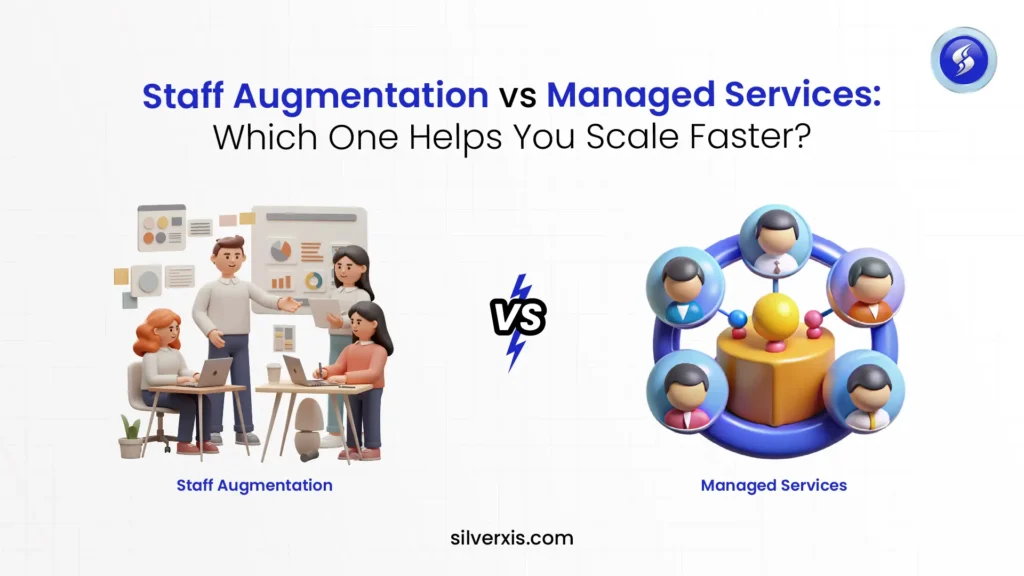
If you’re evaluating staff augmentation vs managed services right now, you’re likely at a stage where your business needs more talent, more support, or more technical execution to scale faster. Maybe your internal team is overloaded. Maybe you’re expanding your product roadmap. Maybe you’re preparing for a major update or new offering. Perhaps you’re simply trying to stay ahead of competitors. Whatever the reason, you’re asking the right question because the model you choose will directly affect cost efficiency, innovation speed, and long-term scalability. Both managed services and staff augmentation give you external expertise, but they’re built for different outcomes. One gives you control and flexibility, while the other gives you stability and accountability. Let’s break this down in an easy way. What Is Staff Augmentation? The IT staff augmentation model allows companies to bring in external skilled professionals to work as part of their internal team. These professionals may be developers, engineers, QA testers, cybersecurity experts, designers, or analysts, depending on your needs. They work under your: Processes Tools Culture Leadership Schedule Think of it as hiring talent without the full-time commitment, paperwork, or time-consuming recruitment process. Businesses choose staff augmentation when they: Have in-house capability but lack enough workforce Need niche skills quickly Want flexibility to scale up or down Building new products or features Need a dedicated development team model temporarily You retain full control over the workflow, while the augmented staff increases your capabilities multifold. What Are Managed Services? A managed services model is very different. Instead of hiring individual talent, you outsource full responsibility for a function, process, or project to a managed IT services provider. You’re not just adding skill, you’re transferring ownership. Examples include: Cloud and DevOps management. Cybersecurity monitoring. IT helpdesk and infrastructure support. Application maintenance. End-to-end software development and lifecycle management. Here, the focus is not on hours worked but on performance, deliverables, and outcomes. The managed services provider monitors, executes, optimizes, and improves depending on SLAs (Service Level Agreements) and KPIs (Key Performance Indicators). Managed Services vs Staff Augmentation: Pros and Cons Pros of Staff Augmentation Fast hiring without long recruitment cycles. Flexibility to scale at any time. Access to niche or specialized talent on demand. Lower risk compared to full-time hiring commitments. Ability to build or expand a dedicated development team model. More cost-efficient for short-term or evolving workloads. Talent works inside your system’s culture and management style. It’s best suited for innovation-driven teams that work at a rapid pace. Cons of Staff Augmentation New people may need time to learn your systems. Things might get an initial slowdown. Your internal team still has to provide direction and manage the work. It means you will need strong leadership even with an augmented staff. If things aren’t documented properly, important knowledge can slip through the cracks when people roll off. Staff augmentation works best when businesses know what they want but need more minds and hands to build it. Pros of Managed Services The provider takes full responsibility for task performance and delivery. Predictable subscription-based pricing. Long-term continuity and support. Reduces operational workload for internal teams. Improves efficiency, especially when there are recurring workloads. Access to established processes, tools, and certifications. It supports businesses looking for stability and operational reliability rather than rapid pivots. Cons of Managed Services You don’t get a lot of wiggle room if your needs suddenly change. Tweaks usually mean going back to the contract and renegotiating something. It tends to fall short for projects that are still messy, unclear, or in the development stage. Managed services make the most sense once your business is stable and you value steady, reliable work over trying new things. Ready to scale your business quickly? Let’s help you choose the right model and build the team you need to grow confidently. Connect with us Cost Comparison: Cost of Staff Augmentation vs Cost of Managed Services Money matters, and pricing structure plays a big role in choosing the right model. Staff Augmentation Cost Structure: Usually based on: Hourly or monthly per resource rate Skill level and experience Project duration You save on: Hiring and recruiting costs Extra payroll taxes and administrative work The cost of setting up equipment or long-term workplace resources Managed Services Cost Structure: Usually subscription or contract-based: Fixed monthly retainer or annual agreement. SLA and outcome-based model. May include tech stack tools and support resources. It may look more expensive initially, but it provides predictable budgeting, especially for maintenance-heavy or recurring workloads. Staff Augmentation Vs Managed Services: A Clean Comparison Criterion Staff Augmentation Managed Services Control Full internal control Provider controls execution Flexibility High Moderate Pricing Resource-based SLA/outcome-based Best Use Innovation development scaling Maintenance stability operations Talent Supervision Required from client Not required Scalability Type Rapid temporary scaling Long-term operational scaling When to Choose Staff Augmentation vs Managed Services Both options help scale, but under different circumstances. Choose Staff Augmentation If: You’re building something new. Your project scope evolves frequently. You want internal control over direction. You need access to niche or rare skills. Choose Managed Services If: You need ongoing support, not one-off development. Your business relies on uptime, security, and compliance. You want costs to stay predictable. You don’t want to run the day-to-day work yourself. Your system is already live. Many fast-growing companies eventually adopt both, depending on the phase of the project. Which One Helps You Grow Faster? If your priority is moving quickly, trying new ideas, adjusting on the fly, or adding talent fast, staff augmentation usually gets you there sooner. If your focus is on steady operations, predictable costs, and long-term support, managed services help you grow in a more stable, sustainable way. Scaling isn’t only about speed. It’s about scaling right for the stage you’re in. Many companies prefer a hybrid approach: Augmentation during growth, building, and innovation cycles. Managed services are required once operations require stability and long-term support. Conclusion Choosing between staff augmentation vs managed services isn’t about which one is universally better; it’s about which one
Effective Ecommerce SEO Tips to Drive Organic Results

If you’re running an online store, you already know how competitive the landscape is. With thousands of brands fighting for the same audience, your survival depends on one thing—visibility. Every scroll your customer makes is a battle you must win, and every product page is a chance to turn curiosity into revenue. In a world where attention spans are shrinking and choices are endless, only the smartest brands rise above the noise. That’s exactly why mastering Ecommerce SEO isn’t optional anymore—it’s the foundation of sustainable growth. Unlike regular SEO, SEO for ecommerce demands a more strategic, product-focused approach to help you stand out, attract organic traffic, and convert more customers. The Foundation of Search Engine Optimization for Ecommerce Ecommerce SEO works differently from general SEO because online stores are larger, dynamic, and structured around product-driven navigation. With dozens or sometimes thousands of product pages, category pages, filters, and attributes, every element influences discoverability. Without a strong foundation, ranking becomes an uphill battle. Key differences between ecommerce and regular SEO: Ecommerce content changes frequently. There are more pages competing for visibility. Duplicate content risks are higher. Technical SEO has a stronger impact. Product intent requires very specific keyword targeting. Understanding these differences helps you build a strategy tailored to how online shoppers search and how search engines evaluate ecommerce sites. Building a Strong Keyword Strategy for Search Engine Optimization for Ecommerce Keywords are the backbone of every successful ecommerce SEO campaign. But unlike traditional websites, ecommerce stores require keywords that match buying behavior. People searching for products often use descriptive, intent-heavy queries. That’s why your keyword strategy must focus on the terms that signal readiness to buy. Focus on keywords that convert: Transactional keywords: “buy”, “discount”, “free shipping” Product-specific queries: “blue running shoes men’s” Long-tail phrases with clear intent: “best noise-cancelling headphones under $200” Using tools like Ahrefs, SEMrush, and Amazon suggestions helps uncover exactly what customers type before making purchases. Optimizing product and category pages around these terms ensures your store appears at the moment of buying intent. Crafting High-Impact Product Pages With Modern Ecommerce SEO Concepts A compelling product page blends SEO, persuasion, and user experience. Search engines must understand the page, and customers must feel confident enough to buy. Begin with a clear, keyword-rich H1 that describes the product. Follow this with a well-structured description that speaks directly to the buyer. Instead of stuffing keywords, integrate them naturally while highlighting benefits, use-cases, material, or special attributes. Elements that make a product page rank and convert: A descriptive H1 with the core keyword Keyword-rich subheadings such as features, benefits, and FAQs High-quality visuals with descriptive alt text Structured product data (schema) Unique descriptions rather than duplicated manufacturer text These elements not only boost rankings but also reduce bounce rates by guiding customers naturally through the page. 10X your sales with powerful Ecommerce SEO Tips Contact us today Site Architecture: Key Ecommerce SEO Approaches for Better Crawlability A strong site architecture makes it easy for search engines to crawl and understand your store. It also improves user engagement because shoppers can find products faster. Aim for a structure that keeps all products within three clicks of the homepage. URLs should be clean, readable, and keyword-focused. Search engines prefer meaningful paths like: /kitchen-appliances/hand-blenders/branded-hand-blender/ —not cryptic strings of numbers or parameters. Principles of good ecommerce architecture: Shallow hierarchy (simple, predictable navigation) Clear category and subcategory organization SEO-friendly URL structures Proper canonicalization to avoid duplicates Managed faceted navigation to prevent index bloat Good architecture fuels your SEO performance from the inside out, ensuring every page can be discovered, indexed, and ranked. Technical SEO: Vital Ecommerce SEO Strategies for Peak Performance Technical SEO acts as the driving force of your ecommerce website. Even the most well-written product pages struggle to rank if your site loads slowly or search engines cannot crawl it efficiently. Site speed is a major deciding factor. Ecommerce shoppers bounce quickly if a page takes more than two seconds to load. Compressing images, reducing JavaScript, and enabling caching are simple but powerful improvements. Mobile optimization is equally critical. With Google’s mobile-first indexing, your mobile site becomes the version evaluated for ranking. Ensure your layouts, buttons, and checkout flow are mobile-friendly and frictionless. Structured data (product schema) helps your pages earn rich results—showing price, availability, and ratings directly in search results. This boosts click-through rates significantly. Category Page Optimization Using Modern Ecommerce SEO Guides Category pages often receive more organic traffic than product pages because shoppers search broader terms like “best office chairs” or “women’s sneakers.” These pages require more depth than just product listings. Add an introduction at the top or bottom of the page describing what the category offers, who it’s for, and key features to consider. This helps search engines understand the page while helping customers make confident decisions. Additional enhancements for category pages: Descriptive, keyword-driven category titles Internal links to top-selling or trending products Smart filtering with SEO-safe parameters Short buying guides within category content Categories act as SEO powerhouses when optimized properly. Building Brand Authority With Strategic Ecommerce SEOTips Backlinks remain a strong ranking factor, even in ecommerce. The challenge lies in earning links that are relevant, trustworthy, and valuable. Guest posting on industry blogs helps position your brand as an expert. Meanwhile, digital PR campaigns—such as product launches, industry research, or expert commentary—help generate natural backlinks. Broken link outreach also works extremely well for ecommerce brands. Find broken product links on other websites and suggest your product page as a replacement. These authority-building techniques strengthen your domain and boost rankings across your store. Local SEO Integration: Key Ecommerce SEO Tips for Hybrid Brands Many ecommerce brands also operate physical stores or warehouses. Combining seo for ecommerce with local SEO has a compounding effect. Add location-specific landing pages, optimize your Google Business Profile, and include local keywords where relevant. This increases visibility for local searches like “electronics store near me,” driving both online and offline sales. Local citations, localized content, and reviews further build trust and
A Comprehensive Guide to Outsource Web Development

Businesses today operate in a digital-first world where a strong online presence is no longer optional; it is essential. Many companies are choosing to outsource web development instead of maintaining costly in-house teams. Outsourcing is no longer just a cost-saving tactic. It has evolved into a strategic decision that gives businesses access to global talent, advanced technologies, specialised skills, and faster project delivery. However, many organisations still feel unsure about how to outsource web development effectively, how to choose the right partner, and what pitfalls to avoid. This guide walks you through everything you need to know about web development outsourcing, step by step. Why Companies Are Outsourcing Web Development The decision to outsource today is shaped less by preference and more by the realities of the global digital economy. Companies are responding to major shifts in technology, workforce availability, and customer expectations that make outsourcing not just helpful—but necessary. 1. Technology Is Evolving Faster Than Internal Teams Can Keep Up Every year introduces new frameworks, security protocols, programming languages, design systems, and integrations. Most businesses cannot continuously train internal teams at the pace the industry demands, pushing them toward external experts who specialise in rapid technological adaptation. 2. A Global Shortage of Senior Developers The tech industry is facing a real talent deficit—especially for experienced backend engineers, DevOps specialists, cloud architects, and full-stack developers. Many companies simply cannot fill critical roles internally, making web development outsourcing the only way to keep projects moving. 3. Increasing Pressure for Continuous Digital Presence Websites are no longer “build once and forget.” They now require: Frequent updates Feature rollouts Performance optimisation Security patches Internal teams often struggle with the constant workload, creating a push towards outsourcing web development companies that can manage continuous development cycles. 4. Higher Expectations for Customer Experience Customers expect seamless navigation, fast loading, personalisation, and flawless responsiveness. Achieving such standards requires deep technical specialisation, often beyond what general in-house teams can provide. 5. Businesses Are Expanding Digitally Faster Than They Expand Manpower Many companies grow online far quicker than they grow their internal workforce. When digital operations scale rapidly—new landing pages, campaigns, portals, digital products—outsourcing becomes the practical solution to avoid bottlenecks. 6. Globalisation Has Normalised Cross-Border Collaboration The pandemic accelerated the remote work culture, dissolving geographical constraints. Businesses are now far more open to collaborating with global teams, turning outsourcing into a mainstream operational model rather than an exception. 7. Cybersecurity Requirements Have Become More Complex Modern websites must comply with stricter data regulations, encryption standards, and security audits. Companies lacking internal cybersecurity capabilities rely on specialised development partners with advanced security knowledge. 8. Digital Competition Is Fierce Every industry now competes online. To stay relevant, businesses need to launch faster, update frequently, and innovate boldly—demands that internal teams often can’t meet alone. Types of Web Development Services You Can Outsource Before learning how to outsource web development, it’s essential to understand what services can be outsourced. Almost every aspect of web development can be handled externally: ● Frontend Development Creating visually appealing, user-friendly, and responsive interfaces. ● Backend Development Building secure, scalable, and high-performing server-side systems. ● Full-Stack Development A blend of frontend and backend expertise for end-to-end solutions. ● eCommerce Website Development Services For online stores built on Shopify, Magento, WooCommerce, BigCommerce, and more. ● CMS Development Custom WordPress, Webflow, Drupal, or Joomla solutions. ● Web App Development Custom platforms, SaaS products, portals, and enterprise-level systems. ● UX/UI Design Wireframes, prototypes, and human-centred design. ● QA & Testing Functional testing, performance testing, and bug fixing. ● Website Maintenance & Support Security updates, backups, performance optimisation, and upgrades. Get expert web development support with zero hassle Start now How to Outsource Web Development – Step-by-Step Guide: To get the best results, your outsourcing journey should follow a structured approach. Here’s a detailed blueprint: 1. Define Your Project Requirements Clearly Before approaching any outsourcing web development company, outline: The project goal Core features Technology preferences (if any) Timeline expectations Budget range Target audience and user journey A detailed project brief ensures the development team fully understands your vision. 2. Choose the Right Outsourcing Model There are three common models for outsource web development services: a. Project-Based Outsourcing Best for businesses with well-defined projects and fixed requirements. b. Dedicated Team Model An extended offshore team works exclusively on your project. c. Staff Augmentation Hire specific developers or designers to join your existing internal team. Select the model that aligns with your project size, complexity, and long-term needs. 3. Shortlist the Best Web Development Outsourcing Partners Evaluate each company based on: Portfolio and case studies Industry experience Client testimonials Team size and skill set Communication style Development methodology (Agile, Scrum, etc.) A reliable partner should have proven experience in handling web development projects outsourcing. 4. Conduct Interviews and Technical Evaluations Don’t hesitate to ask technical questions or request a sample task. This helps you check: Problem-solving skills Coding quality Communication clarity Technology proficiency 5. Discuss Budget and Contract Terms Be transparent about your budget and confirm: Pricing model (fixed, hourly, or retainer) Payment milestones Project timeline Intellectual property rights Confidentiality agreements Clear agreements prevent disputes during development. 6. Establish Communication Channels Effective communication is crucial for successful outsourcing. Agree on: Preferred platforms (Slack, Zoom, Teams, Jira) Frequency of updates Reporting structure Project management tools A good outsourcing web development company will ensure smooth collaboration regardless of time zones. 7. Begin Development with Clear Milestones Break the project into phases: Discovery Design Development Testing Deployment Each milestone should have defined deliverables and timelines. 8. Test Thoroughly Before Launch Never skip this step. Ensure the website undergoes: Functional testing Security testing Device compatibility checks Page speed optimisation User acceptance testing 9. Ensure Post-Launch Maintenance Websites require ongoing support. Clarify maintenance packages or monthly retainer options with your development partner. Benefits of Outsourcing Web Development Services 1. Higher Quality Output Specialised agencies bring years of experience, industry insights, and advanced tools that elevate the final product. 2. Consistent Scalability Need
Detailed Answer to “I Have an App Idea—Now What?”

If you have a new app idea buzzing in your mind, that’s incredible, because many successful apps today started with a simple thought: “This should exist.” But the truth is, most app ideas never become real applications. Not because they’re bad, but because people don’t know what to do next. If you’ve ever said, “I have an app idea—now what?” This guide will walk you through every step you need to bring that idea to life. Most mobile app development ideas never become successful apps because of a lack of planning, research, and execution. But with the right roadmap, your concept can evolve into a real, profitable digital product. 10 Proven Steps to bring your mobile app ideas to reality Step 1 – Validate Your App Idea Before you think about hiring a developer or choosing features, make sure the idea solves a real need. Understand the Core Problem Ask yourself: What exact problem does this app solve? Why would someone choose your app over others? Is this something people need daily or occasionally? The clearer this answer is, the stronger your foundation becomes. Successful mobile app ideas always solve a specific pain point or create a valuable experience. Identify Your Target Users Identify your target users clearly: students, busy professionals, parents, fitness lovers, or small business owners. The more focused your target group, the more personalised your features, design, and messaging can be. Research Your Competitors Search for: Similar apps Related application ideas Top mobile apps 2025 in your category Gaps that others haven’t solved Competitors are not threats, they’re guideposts. They show you what’s working and what users still want. Step 2 – Refine Your Concept Your raw idea now needs shaping. Turn Thoughts Into Clear App Concepts Write down: What the app does Who it’s for Why is it needed What makes it different This becomes your concept note. Define Core Features vs Extras Think MVP (Minimum Viable Product). Core features = Without them, the app cannot function.Optional features = Can be added later after launch. This helps manage cost, speed, and complexity. Create a Simple User Journey A user journey is a map of how someone moves through your app. For example: Open the app Sign up Land on the dashboard Use the main feature Save or share output This helps during prototyping and UI/UX design. Step 3 – Analyze Market Demand Even the best mobile app development ideas need real users. Use Search Data and App Store Trends Look for keywords like: Best app ideas New app ideas Apps to develop Easy app ideas Top mobile apps 2025 This reveals what the market wants. Study Similar Apps Thoroughly Check downloads, reviews, complaints, missing features Negative reviews are gold – they show what users desperately want. Identify Gaps Look for missing features, opportunities to make the app faster, simpler, or cheaper, and user groups competitors ignore. Your uniqueness becomes your selling point. Step 4 – Choose the Right Business Model Your revenue plan should be clear from day one. Free Model Best for apps aiming for mass adoption. Revenue comes from ads. Subscription Model Ideal for fitness, education, and productivity apps, offering steady recurring income. Steady recurring income. One-Time Purchase Model Suitable for niche tools or utility apps. In-App Purchases Best for gaming apps, premium unlocks, extra features, and add-ons. Custom App Development Model Useful for businesses building a solution for internal teams, customers, or operations. Step 5 – Create Wireframes and Prototype This is where you turn imagination into structure. Visualize Your Application Ideas Wireframes are simple screen sketches showing layout and flow. Tools for Creating Prototypes Figma Adobe XD Sketch These tools help you build clickable mockups. Collect Early Feedback Share your prototype with: Potential users Friends Industry experts Early feedback saves time and money later. Turn your app idea into a market-winning product today. Connect with us Step 6 – Decide How to Build the App This is one of the most important decisions. Hire a Mobile App Development Company Best for: Custom app development Complex features Long-term scaling Multiple platforms (iOS + Android) Work with Freelancers More budget-friendly but needs stronger management and communication. Build With a Team Through a Startup If you are technical or want long-term control, forming a mobile development startup is a great option. Compare Costs, Timelines, and Expertise Cheaper doesn’t mean better. Quality decides user trust, retention, and success. Choose Your Tech Stack Decide between native (Swift, Kotlin) or cross-platform (Flutter, React Native) based on your budget, development speed, scalability needs, and app complexity. Step 7 – Start Developing the App Now your idea starts becoming real. Front-End + Back-End The Front-end is what users see.Back-end is the engine behind the app. UI/UX Design Users prefer apps that are simple, fast, clean, and intuitive—strong design can make even a basic app feel premium. Testing and Quality Assurance Testing ensures the app has no crashes, smooth performance, and easy navigation—quality makes or breaks the user experience. Step 8 – Prepare for Launch You’re almost there. App Store Optimization (ASO) Optimize your keywords, title, screenshots, and description to help your app rank higher organically. Set Up Analytics Use tools like Firebase to track installs, retention, user behavior, and drop-offs. Beta Testing Let selected users try the app before launch to fix bugs, improve user flow, and validate key features. Step 9 – Market Your App Strategically Building is only half the journey—getting users is equally important. See how mobile app development strategies are winning 50M users in 2025 Social Media Promotion Promote your app on Instagram, TikTok, YouTube, and Facebook with behind-the-scenes content, app benefits, and feature highlights. Influencer Marketing Creators can bring huge traction if your app fits their audience. Paid Advertising Google Ads, Instagram Ads, and TikTok Ads help you scale faster. Content Marketing & SEO Write blogs targeting: App ideas Mobile app development services Best mobile applications Unique app ideas for students Organic traffic compounds over time. Step 10 – Maintain, Update, and Improve Your
How to Hire Software Developers for Startups

Hiring the right software developers can make or break a startup. Every product, feature, and customer experience depends on the talent you bring on board. Startups face unique challenges like limited budgets, high competition, and the need for versatile skill sets. Finding developers who can adapt to fast-paced environments, understand business goals, and contribute strategically beyond coding is critical for your success. This guide will show you how to hire software developers effectively, find the right custom talent, and build a team that grows with your business. Why Hiring the Right Software Developers Matters Choosing the wrong developers can delay product launches, increase costs, and impact your startup’s reputation. The right team accelerates growth, delivers high-quality products, and adapts to changing business needs. Employing skilled developers will guarantee faster time to market, fewer bugs, enhanced scalability, and creative problem-solving. In the case of startups, each developer is vital, and that is why it is necessary to hire with caution. In addition to technical capabilities, the appropriate developers also introduce strategic thinking, communication, and a collaborative attitude that is important in creating a unified team. They assist in making future obstacles predictable, come up with scalable solutions, and match technology and business objectives. The existence of good developers will not only allow the accomplishment of tasks in a competitive market but also help to come up with long-term innovation and product differentiation, which will directly determine your startup’s success trajectory and responsiveness to new opportunities. Types of Software Developers Startups Usually Need Startups often require a mix of skill sets depending on their product. You might need: Frontend Developers to design the user interface. Backend Developers to manage servers, databases, and APIs. Full-Stack Developers who handle both frontend and backend. Other important roles include mobile app developers, DevOps engineers, and QA testers. Choosing the right combination depends on your product goals and team size. Get the perfect software developer for your company within 2 days Get a developer Proven Steps to Hire a Software Developer for Startups Step 1 – Define Your Requirements Clearly Before searching for developers, outline your project needs. Clarity here saves time and ensures you hire the right talent. Consider: the technology stack required, level of experience needed, whether the role is full-time, part-time, or freelance, and whether the developer will work remotely or on-site. Clearly defining requirements helps custom software developers understand your vision and expectations. Step 2 – Decide Between In-House and Outsourced Teams Startups often debate whether to hire in-house developers or outsource development. In-house teams align better with your culture and are easier to manage, but costs are higher. Outsourcing gives access to global talent and flexible scalability, but may require stronger project management to handle time zones and communication. Step 3 – Finding Developers for Your Startup You can find top talent through multiple channels. Job boards like LinkedIn, AngelList, and Stack Overflow connect you with experienced professionals. Freelance platforms like Upwork and Toptal are good for short-term or specialized projects. Developer communities such as GitHub and Reddit are also valuable sources. Referrals from other startup founders can often bring highly trusted candidates. Tip: Combine multiple channels to maximize reach and find the best developers for your startup. Step 4 – Screening and Interviewing Candidates Finding developers is one thing; hiring the right ones is another. Focus on technical skills, problem-solving abilities, and cultural fit. Screen candidates using coding tests, portfolio reviews, and live problem-solving sessions. Behavioral interviews help gauge initiative, adaptability, and teamwork. For startups building unique solutions, evaluating custom software development experience is crucial. Key aspects to check during screening: Experience with relevant technologies and frameworks Past projects, especially in startups or similar products Ability to work in agile environments Step 5 – Offering Competitive Packages Startups often compete with larger companies, so your offer should attract talent beyond salary. Consider including equity or stock options, flexible work hours, learning opportunities, and a clear growth path. These incentives appeal to developers who want to grow with your startup and feel invested in its success. Step 6 – Onboarding Developers Effectively Smooth onboarding ensures developers start contributing quickly. Share your startup vision, roadmap, and existing documentation. Assign mentors or points of contact to guide them and provide access to tools and resources. A structured onboarding process also fosters engagement and long-term retention. Step 7 – Retaining Top Talent Retention is critical because startups risk losing developers to bigger companies. Focus on culture, recognition, continuous learning, and involvement in decision-making. A supportive environment keeps developers motivated and encourages them to innovate alongside your business. Tips for Hiring Custom Software Developers Custom software developers bring specialized skills for building unique products from scratch. To ensure you hire the right talent, consider the following tips: Assess Technical Expertise: Look for candidates experienced in scalable software architecture, API integration, agile development, and thorough testing. Strong technical skills reduce bugs, enhance performance, and ensure long-term maintainability. Prioritize Startup Experience: Developers who have worked in startups adapt faster to dynamic environments, take ownership of tasks, and contribute to strategic decisions beyond just coding. Evaluate Problem-Solving Skills: Innovative thinking is critical for custom software projects. Assess how candidates approach complex challenges, optimize workflows, and propose solutions aligned with business goals. Check Collaboration and Communication: Effective communication ensures smooth teamwork, particularly when working with cross-functional teams or remote developers. Cultural Fit and Adaptability: A developer aligned with your company values will integrate better, stay motivated, and support long-term growth. Leverage Staffing Solutions: If you need to hire quickly, consider getting staffing services for hiring quickly. Specialized staffing providers can help identify qualified developers faster, reducing time-to-market and ensuring your project stays on schedule. Common Mistakes Startups while finding coders for startup Startups often face challenges when hiring developers. Avoid these pitfalls: Hiring too quickly without clear role definitions Prioritizing resumes over practical skills and portfolio reviews Ignoring cultural fit or long-term retention plans Neglecting proper onboarding When to Invest in Hiring a Software Developer? You should hire a
ROI in 90 Days: The RPA Implementation Blueprint That Automates 60% of Manual Tasks and Cuts Costs 40%

Businesses today move faster than ever, and manual processes often slow everything down. Many organizations use Robotic Process Automation to eliminate repetitive work and improve accuracy. If your goal is to automate 60 percent of tasks and reduce operational costs by 40 percent within 90 days, this blueprint explains exactly how to get there. This guide outlines the proven workflow used by successful companies that want rapid ROI without complexity or delays. What is Robotic Process Automation? Robotic Process Automation is a technology that uses software bots to perform rule-based digital tasks that humans usually do on a computer. These bots can click, type, extract data, process information and work across applications using the same interface a human would. RPA helps organizations automate repetitive tasks without modifying their existing systems, making it a simple automation solution. It does not require changes in existing systems because bots use the same interface as human users. This makes RPA a flexible choice for organizations that want fast results without rebuilding their IT infrastructure. How does Robotic Process Automation (RPA) work? Robotic Process Automation works by using software bots that follow predefined rules and steps to complete a task. These bots interact with applications just like a human: they log in, navigate screens, extract and validate data, move information between systems and complete actions with speed and accuracy. Since these bots operate on top of existing software, companies can automate processes quickly without changing their IT infrastructure. Types of Bots used: Businesses often use two types of bots depending on their needs. Attended bots assist employees during active sessions. For example, customer service teams use them to speed up data retrieval or instantly populate forms. Unattended bots operate independently and complete work without supervision. They can run at night, handle batch processing or manage repetitive data workflows while teams focus on strategic work. To support these automations, companies rely on platforms such as UiPath, Blue Prism and Automation Anywhere, each offering tools for design, testing, governance and analytics. Automate Your Workflow and Slash 40% of Costs in 90 Days. Get Started Today. Benefits of Robotic Process Automation Organizations choose RPA because the advantages are immediate, measurable, and impactful. Key benefits include: Time Savings: Automates repetitive tasks, allowing employees to focus on higher-value work. Increased Accuracy: Eliminates human errors in data entry, reporting, and routine processes. Enhanced Productivity: Even small teams can achieve the output of a larger workforce. Cost Reduction: Saves on labor hours and reduces the need for overtime. Faster Process Cycles: Shortens the time required to complete workflows. Reduced Rework: Minimizes mistakes, resulting in fewer corrections and delays. Compliance Support: Ensures consistent adherence to company policies and regulations. Scalable Automation: Creates a foundation for long-term business process automation and digital workforce expansion. What Makes the 90-Day RPA Implementation Model Successful and priority mapping. The 90-day model works well because it breaks the rollout into structured phases. This removes confusion and ensures every step delivers measurable output. Specialized RPA implementation services help organizations handle process mapping, bot design, security guidelines and integration requirements. When combined with effective workflow automation services, the entire project becomes predictable and high-impact. In this model, the goal is not just automation but creating a reliable digital workforce that complements employees and increases overall process capacity. Step-by-Step Robotic Process Automation Implementation Blueprint Step 1 – Process Discovery and Task Mining Automation success starts with selecting the right processes. Many companies rush into development without proper analysis and end up automating tasks that do not deliver value. The correct approach uses process discovery tools and detailed workflow studies to understand how work truly flows. Task mining helps identify hidden inefficiencies that may not be visible during manual observation. Companies also perform automation ROI analysis to prioritize tasks that offer the highest return. Ideal automation candidates share common traits such as: High repetition Clear input and output rules Consistent logic Heavy use of data entry or validation Measurable cycle times This ensures that the first wave of automation provides quick wins and builds confidence among teams. Step 2 – Designing the Robotic Process Automation Once the right tasks are shortlisted, the next step is to build the automation blueprint. This includes mapping the existing workflow, defining business rules and identifying potential exceptions. Clear documentation supports bot developers and prevents future errors. Designing the robotic automation process also requires selecting the right technology features. Some processes may need advanced intelligent automation solutions such as OCR, cognitive tools or analytics to handle semi-structured content. The design phase focuses on creating a clean, efficient and predictable flow that bots can execute without interruptions. At this stage, AI can be integrated to enable intelligent decision-making and predictive insights, making workflows smarter, adaptive, and more efficient. The design phase focuses on creating a clean, efficient, and predictable flow that bots can execute without interruptions. Step 3 – Building and Testing Bots Bot development begins after the design is finalized. Using tools such as UiPath or Automation Anywhere, developers build bots that follow the mapped workflow. Every step, click and rule is programmed with precision. Testing plays a major role in avoiding disruptions after deployment. Bots are tested in multiple environments to evaluate their responses to real-time scenarios. Developers also incorporate hyperautomation features to handle variability and improve performance. This ensures stable operation and stronger long-term reliability. Step 4 – Deployment and Go-Live Deployment requires coordinated planning. During this stage, teams prepare employees, set up monitoring dashboards and configure audit logs. Since change affects every department differently, strong communication helps reduce resistance. The rollout begins with a controlled go-live where bots perform tasks under supervision. Once performance stabilizes, bots switch into full production mode. Organizations track results such as cycle time reduction, manual effort saved and error rates to confirm the impact. Step 5 – Optimization and Scaling Automation is not a one-time project. After deployment, organizations fine-tune performance, update workflows and add enhancements based on real usage. Continuous monitoring reveals opportunities for improvement in speed,
How B2B Companies Generate 400% More Qualified Leads with SEO Content Marketing in 2025

In 2025, SEO content marketing has evolved from a mere buzzword into a fundamental pillar of B2B growth strategies. It’s the engine that keeps brands moving forward, building trust, and fueling steady growth. Instead of pushing tired ads, businesses now focus on stories that actually matter to their audience, meeting them wherever they are online. The strongest content marketing strategies mix creativity, smart analytics, and real intent, guiding buyers from first click to final decision. Whether you’re running a big enterprise or a scrappy startup, B2B content marketing is the playbook. It brings in qualified leads, grows real relationships, and turns engagement into results you can measure. Let’s dig into how intentional content takes you from just being seen to actually making an impact. Understanding Modern SEO Content Marketing in 2025 Forget the old days of keyword stuffing and endless blog posts. In 2025, SEO content marketing is about building an ecosystem one that runs on strategy, intent, and genuine value. The goal? Match what people want with what you offer, so you’re not just visible, you’re converting. Here’s what matters most: Smart keyword research – using tools like Google Trends and Ahrefs to spot the best chances for visibility without drowning in competition. Keeping your content calendar tight – regular publishing keeps your brand relevant in a crowded search world. Owning the SERP – mixing guides, infographics, and thought pieces so your brand shows up in more than one spot on Google. It’s a full-circle approach that covers every step of the buyer journey, turning awareness into content ROI you can actually track. Crafting a Strong Content Marketing Strategy When you want your content marketing strategy to really work, you have to blend SEO data with stories people care about. A well-planned strategy ensures every piece of content aligns with audience needs, drives engagement, and supports lead generation effectively. Strategic Foundation Start with real goals. Are you after brand awareness, more leads, or a shot at thought leadership? Then: Research your audience and build out buyer personas. Map out topic clusters focus on the problems your personas face. Create pillar pages that tie everything together and give your SEO some real depth. Tactical Implementation Most brands don’t do it alone. They work with a content strategy consulting team who know how to keep campaigns steady and focused. This keeps your organic traffic goals and sales targets lined up, simplifying content distribution strategy across different platforms. Why B2B Content Marketing Drives the Most Conversions B2B sales cycles take time and can get complicated. But the right B2B content marketing makes it easier to build trust and speed up decisions. Thought Leadership as a Differentiator Thought leadership isn’t only a trendy term. When you share real insights and solid data, people start to see your brand as the expert. Thought leadership helps build credibility, foster engagement, and guide prospects throughout their decision-making journey. Lead Generation Through Relevance Modern lead generation content marketing is all about giving people what they actually want think case studies, whitepapers, webinars. These assets pull in prospects who are ready to buy, which means better traffic and bigger returns. Framework for Effective Content Execution If you want your SEO content marketing to stay strong, you need a framework you can stick to. Align Content with Funnel Stages Top of funnel: Use educational blogs to catch people just starting their search SEO copywriting services helps here. Middle: Share case studies, in-depth guides, and bring in content strategy consulting to move leads closer to a decision. Bottom: Offer demos, testimonials, and comparison pages these help seal the deal. Building Topical Authority Backlinks matter, but so does proving you know your stuff. Combine backlink building with topical authority development to boost your rankings and keep organic traffic coming. Data-Backed Insights: What’s Working in 2025 Marketers are increasingly using data to guide their strategies and measure what works. The best SEO content marketing strategies are built on solid, data-driven foundations. Watch these numbers: Growth in organic traffic and click-through rate Lead quality and conversion rate Engagement by content type videos, articles, podcasts, you name it ROI at every stage of the funnel Companies that closely monitor their KPIs often see a significant improvement in content ROI, turning insights into actionable strategies that drive measurable business growth. B2B Content Marketing Success Stories Tech Industry A SaaS company rolled out a new content distribution strategy, mixing LinkedIn and search ads with blog posts aimed at enterprise clients. Six months in, their qualified inbound leads shoot up by 320%. Not bad, right? E-commerce A retailed brand looked into what their target customers actually wanted. They matched their content marketing strategy with user intent and by using tools they automated their content calendar. This helped them to gain better visibility and get results from their marketing efforts. Manufacturing A global supplier recognized the need to elevate their website messaging and partnered with professional SEO copywriting services. The refreshed content strengthened their brand voice, improved engagement, and significantly boosted visibility for high-intent search queries. Content Framework for Lead Generation If you want to keep growing your reach and pulling in more leads, you need a framework that works every time. Here’s what matters most: Start with solid keyword research focused on what buyers need at each stage. Keep tweaking content through SERP analysis. Use AI tools to track content ROI and scale up what works. The best frameworks blend SEO and lead generation content marketing, so you’re not just getting visitors you’re turning them into real customers. Common Mistakes to Avoid in SEO Content Marketing Even the big players slip up, especially when they: Skip over user intent when picking keywords. Forget about content distribution after it goes live. Pump out messy or inconsistent content, which hurts their topical authority. Dodge these mistakes, and you’ll see better engagement and trust from your audience. Conclusion SEO content marketing keeps leveling up, and in 2025, it’s all about being precise and getting results. Teams that adapt and
How Enterprises Use Data Analytics Services to Predict Market Trends and Drive 300% Revenue Growth in 2025

These days, businesses see data as a real game-changer. It’s what sets them apart. Companies everywhere are pouring resources into data analytics services, hoping to dig up insights that actually guide their big decisions. When organizations lean on data-driven decision making to make choices, they spot fresh opportunities, work smarter, and stay ahead, especially as the market keeps shifting. So, what’s really happening? Businesses are taking predictive analytics and turning it into their secret weapon. They’re rolling out business intelligence tools and tapping into modern analytics consulting services to get more from every level of the company. Whether it’s smarter marketing, sharper financial forecasts, or better operations, forward-thinking organizations are rewriting the rules of success with analytics. What Is Enterprise Data Analytics and Why It Matters in 2025 Enterprise analytics isn’t just a back-office function anymore. Now, it’s the driving force behind real innovation. With powerful enterprise data management and real-time analytics platforms, companies can finally turn piles of raw data into insights that actually matter. Faster decisions, smarter moves, and a real shot at outpacing the competition. Descriptive vs Predictive vs Prescriptive Analytics Types of Analytics Purpose Description Descriptive Analytics Understand what has happened Tells you what’s already happened using historical data. Predictive Analytics Anticipate future outcomes Looks ahead and forecasts what’s coming based on trends and patterns. Prescriptive Analytics Recommend Actions Goes a step further, guiding decisions with advanced models and machine learning insights. Businesses often use all three analytics types in a continuous loop, collecting data, learning from it, acting on it, and repeating the process for improvement. The ROI of Data Analytics Services Analytics isn’t just a buzzword—it pays off fast. Firms investing in data analytics services see results in the first year. According to Gartner, these companies speed up decision-making up to three times and cut costs by automating processes, KPI tracking, and monitoring performance more closely. Common Myths About Business Intelligence It’s only for big companies: That’s not true anymore. Cloud-based tools make it possible for even the smallest businesses to use powerful analytics without needing a huge budget. It’s way too complicated: That used to be the case, but not now. Modern tools are easy to use. Just drag, drop, and explore your data. You don’t need a data science degree to get value from them. It costs a fortune: Not really. You can start with a basic plan and pay as you grow. As your business expands, you simply add more features when you need them. Only the top executives need it: Insights help everyone from sales and marketing to HR and operations. When each team understands the data behind their work, smarter decisions follow. 5 Ways Leading Companies Use Data Analytics to Drive Growth Across every industry, organizations are using data analytics services to work smarter, serve customers better, and boost revenue. Here’s what the best of the best are doing right now: Customer Behavior Prediction and Churn Prevention Predictive analytics lets companies spot when customers might leave—sometimes before those customers even realize it themselves. By analyzing patterns and engagement, retention teams step in early, keeping people happy and boosting lifetime value. Supply Chain Optimization Through Real-Time Analytics Real-time analytics platforms track every link in the logistics and production chain. When the system spots a delay or a sudden change in demand, companies can adapt instantly, keeping things running smooth and cutting down on waste. Financial Forecasting and Budget Allocation Finance teams use business intelligence tools to map out revenue, watch spending, and track ROI across every department. With forecasting models, leaders can see different scenarios play out and make decisions confidently—even when the market gets bumpy. These insights enable stronger data-driven decisions across the business. Marketing Campaign Performance and Attribution Marketers lean on analytics consulting services and data visualization dashboards to see which campaigns actually work. They shift budgets on the fly, using data from ETL processes and ROI measurement to make sure every dollar spent pushes growth forward. Operational Efficiency and Process Improvement By connecting their enterprise data management systems to intuitive dashboard development tools, companies spot bottlenecks and fix them fast. These process improvements add up, often slashing operational costs by as much as 25%. Essential Components of a Modern Data Analytics Stack If you look at the top companies in 2025, you’ll see they all have one thing in common: a tightly integrated data analytics stack. It’s not just about collecting numbers anymore. They use powerful infrastructure, clever tools, and AI engines working together behind the scenes. Data Collection and Integration Tools Everything starts with getting your data in order. APIs and ETL processes connect all your systems—CRM, ERP, customer platforms—so every business metric ends up in one place. No more scattered reports or endless spreadsheets. Cloud Data Warehousing Solutions Then you need somewhere to put all that data. Cloud analytics and data warehousing solutions store massive amounts securely and let you pull up what you need in seconds. You can scale up as you grow, and you won’t get bogged down no matter how much information you throw at it. Business Intelligence and Visualization Platforms Next comes the fun part: turning raw data into real stories. Business intelligence tools and data visualization dashboards take complex information and make it actually useful. Suddenly, KPIs and ROI aren’t just numbers—they’re clear, visual, and right in front of you. Executives get what’s going on instantly through powerful ROI measurements. AI-Powered Predictive Models And then there’s AI. Forecasting analytics dig through your data and spot trends before anyone else even sees them coming. These systems use machine learning insights to constantly learn and adjust, fine-tuning your strategy as things change in real time. Industry Success Stories: Analytics in Action Analytics isn’t just a buzzword. It’s changing the game across every industry. Healthcare: Reducing Patient Wait Times by 40% Hospitals use data analytics services to manage beds and predict patient flow. The result? Patients see doctors faster, and wait times drop—sometimes by nearly half. Retail: Increasing Conversion Rates Through Behavioral
How Mobile App Development Strategies Are Winning 50M+ Users in 2025

Mobile app development is driving business growth everywhere, B2B, B2C, you name it. Picking the right app development platform, whether building for enterprise clients or regular consumers, shapes how the brand grows over time. So what are the top companies doing? They are doubling down on iOS and Android, using cross platform development tools, delivering great mobile UX design, and keeping mobile security locked down tight. That is how they are reaching tens of millions of users as we head into 2025. The Mobile Revolution: Why 70% of User Engagement Is Now Mobile-First According to DataReportal, users no longer just visit websites, they live inside mobile apps. In 2025, more than 5.78 billion people around the world use a mobile phone, representing about 70.5% of the global population. User behaviour has changed significantly, with most smartphone time now spent inside apps rather than browsers. The rest of their time is devoted to dedicated mobile apps, highlighting how mobile app experiences now dominate the way people connect, communicate, and engage online. Mobile first is no longer just about responsive web design. It is about creating full fledged app experiences with strong mobile UX design, smart push notifications, and reliable offline performance that work even when the signal is weak. Native vs Cross-Platform vs PWA: Choosing the Right Approach When Native iOS/Android Makes Sense If you need the absolute best native performance, such as banking apps or top tier games, native is still the way to go. Building directly for iOS or Android through dedicated iOS app development services and Android app development services gives full control over device hardware, smooth user experiences, and deeper integrations. That is why many companies with high standards stick with native mobile app development. But here is the catch, you will end up managing two codebases, which means higher costs and more work to maintain. React Native and Flutter: The Cross-Platform Leaders If speed and reach matter most, cross platform development tools like React Native development and Flutter app development are hard to beat. One app development platform covers both iOS and Android, so updates and testing are faster and you save on resources. Many companies serving both businesses and regular users choose this path as part of their mobile app development approach because it makes things simpler, especially when you need to move fast. Progressive Web Apps: The Budget-Friendly Option Tight on cash or just want to test the flow? A progressive web app (PWA) can mimic app experiences right in the browser. You will not get all the bells and whistles of native apps since offline features and hardware access are limited, but you do get broad reach and a cheaper build. A PWA serves as an effective app development platform for MVPs or early market tests when you want to learn before spending big. 7 Essential Features Every High-Growth Mobile App Needs Offline-First Functionality To reach everyone, an app needs to work even with spotty internet. That means building in offline functionality such as local caching, sync queues, or background downloads. People expect apps to work anywhere, and if they do not, they leave. Strong mobile UX design ensures the experience stays seamless even when the connection is weak. Push Notifications and Real-Time Updates Real engagement comes from timely and relevant push notifications and live updates—messaging, news feeds, whatever keeps people coming back. Smart API integration is key here, so you can trigger personalized experiences at the right time. This keeps users connected and encourages repeat engagement. Seamless Payment Integration If the goal is to make money, whether from consumers or businesses, payments need to be smooth. Choosing an app development platform with reliable payment SDKs and compliance with store regulations ensures quick transactions. The easier it is for people to pay, the faster revenue grows. Social Sharing and User-Generated Content Social sharing is not just a nice addition, it is a growth driver. Making it easy for people to share, invite others, and create their own content directly supports mobile app development goals. Consumer apps thrive on this, and even B2B platforms benefit through collaboration and shared insights. Analytics and User Behaviour Tracking Start tracking analytics from day one. It is important to understand how long users stay, how often they return, and where they drop off. These insights guide design and mobile UX design decisions, helping both business dashboards and consumer experiences improve. Strong analytics also strengthen app store optimization by improving visibility and downloads. Accessibility and Inclusive Design Design with everyone in mind. When an app supports voice control, larger text, or easy navigation, it shows thoughtful mobile UX design that welcomes more users. These features expand access, improve quality, and demonstrate commitment to inclusivity for both enterprise clients and everyday users. Security and Data Privacy Security is never optional. Even when companies believe their apps are safe, breaches still happen. To ensure proper protection in mobile app development, build with encryption, manage tokens carefully, monitor for threats, and control permissions from the start. These steps protect both enterprise and consumer applications from serious risks. Mobile App Development Process: From Idea to App Store Launch Discovery and Strategy Phase When starting out, get clear on goals, target audience, and market conditions. Decide whether to use iOS app development services, Android app development services, or even a cross platform route. Choosing the right app development platform affects everything that follows—cost, timing, and overall outcome. Design and Prototyping Put real effort into mobile UX design early. Create wireframes, build prototypes, and gather feedback. Test features such as offline mode and real time updates to make sure the user flow fits both business clients and everyday consumers. Development and Testing As development begins, technical choices come to life. Cross platform development frameworks like React Native development and Flutter app development help share code efficiently across systems. However, testing remains crucial—covering devices, API integration, permissions, performance, and security to ensure a stable experience. Launch and Post-Launch Optimization Once launched, focus on app store