
How to Pick the Right Software Architecture Consulting Firm
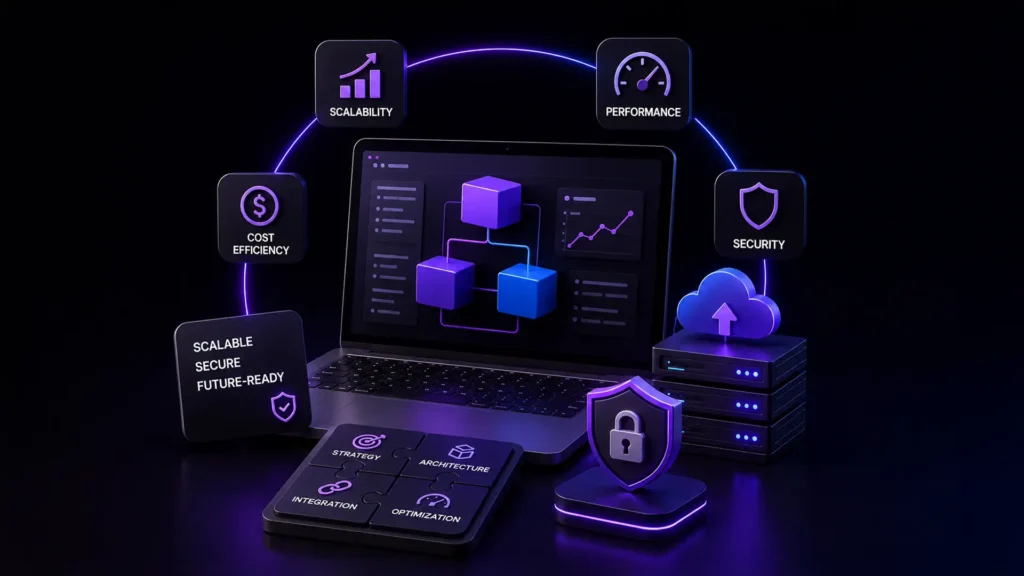
That is where a software architecture consulting firm provides value. They analyze your current systems and plan how your software can scale over time as your business needs grow. They approach this with the aim to make your architecture scalable, maintainable, optimized, and cost-efficient.
Staff Augmentation vs Outsourcing: Which Saves More?

Staff augmentation vs outsourcing can both help when your software team needs support, but they solve different problems. One adds people to the team you already run. The other gives the provider more responsibility for delivery. This blog looks at cost, control, hidden work, and which model makes more sense for your project.
How Co-Managed IT Supports IT Teams Do More with Less

We’ll explore how co-managed IT support works, what the signs are that your organization could benefit, and how it enables IT to achieve more, not with additional resources but with what they already have.
Product Stuck in Beta? Hire Best Software Expert to Fix It

Your product launched in beta months ago, and at first, that felt normal. Beta is where bugs get fixed, feedback comes in, and the product gets stronger. Now the timeline keeps moving, and new features are being added. Developers stay busy, and meetings continue, yet the product is still not ready. That is usually the moment companies realize they may need a software expert, not because their team failed, but because something deeper is blocking progress. In many cases, products get stuck in beta because technical issues and product decisions quietly pile up over time. What looks like “one more bug” often turns out to be architecture problems, weak delivery systems, or unclear product priorities. The good news is that these problems can be fixed because the right expert knows where to look. What a Software Expert Brings to Fix Product Failures When a product stalls, lots of teams think they simply need more developers, but frequently, the real problem runs deeper than that. A strong expert starts by diagnosing what is actually slowing the product down. That often includes reviewing: software architecture code quality release workflow testing process product priorities For example, if every release introduces new bugs, that usually points to a system issue, not an individual developer issue. A true expert software consultant looks for patterns like that. When You Need a Software Failure Expert for Recovery Not every delayed product needs outside help, but some warning signs are hard to ignore. One of the biggest is when users start leaving because the product feels unstable, and that is a very different problem. You may need a software failure expert if: Launch dates keep slipping. Bugs keep returning after “fixes.” User feedback is consistently negative. Performance problems remain unresolved. Internal teams disagree on root causes. A common mistake is continuing to add features, assuming missing functionality is the problem. A recovery-focused expert helps separate symptoms from causes, which means that clarity saves months. How Custom Software Development Experts Fix Beta Issues Good recovery work rarely starts with rebuilding everything. It starts with stabilizing what already exists, and that is where custom software development experts add value. A typical process looks like this: 1. Audit the current product Before trying to fix anything, you need to understand what is actually going wrong. Which means taking a close look at the product from the code and systems behind it to the way users are experiencing it. 2. Identify technical debt Most products carry some shortcuts from the early days. Because they help you move fast right away, but over time, those same shortcuts can start slowing everything down. 3. Prioritize what matters We know not every issue deserves attention right away. But the focus should be on fixing the problems that are creating the biggest delays. 4. Improve release confidence Once the major blockers are removed, the next step is to make updates feel more predictable through better testing, smoother deployments, and fewer surprises after launch. As per the 2024 McKinsey software delivery report, it finds that organizations with stronger engineering systems regularly deliver faster and more reliable results. That is not luck, it is the result of better systems. Custom Software Development Experts vs General Devs General developers usually focus on daily work like building features and fixing bugs. But when a product gets stuck in beta, the problem is often bigger than that, which is where custom software development experts help. Here’s a simple way to see the difference: Area Custom Software Development Experts General Developers Focus Diagnose and solve systemic issues Build assigned features Perspective Product + architecture + delivery Task-level execution Best for Stalled or complex products Day-to-day development Decision-making Strategic Tactical If your product is stuck, adding more developers may not solve the real issue. Sometimes what you need first is not more coding, but a better direction. Role of ERP and Enterprise Software Experts in Scaling Some beta problems only appear when growth begins, and that is especially common in enterprise systems. For example: user data starts syncing incorrectly reporting slows down integrations break workflows become messy This is often where ERP software experts and enterprise software teams with platforms like Workday become especially valuable. They understand large systems, connected tools, and operational complexity. As the U.S. National Institute of Standards and Technology (NIST) points out, strong software foundations matter. When architecture and reliability are not built well from the start, those weaknesses usually become much more visible as the product begins to grow. Why Design Expert Software Improves Product Stability Many teams think stability is only a code problem, but it is not. Bad product design creates technical problems too, poor user flows create workarounds, and unclear interfaces create user mistakes. These weak decisions create unnecessary complexity, and this is why design expert software matters. Expert software with a strong design improves: user experience engineering clarity feature prioritization long-term maintainability Good design reduces friction before code even gets written, and that is often overlooked. Common Mistakes When Hiring Software Experts When a product is under pressure, companies often rush the hiring process. That usually leads to avoidable mistakes and sometimes creates even bigger problems. Common mistakes include: Hiring only for coding skills Strong coding skills matter, but that alone is not enough. A stalled product usually needs someone who can understand the bigger picture, not just write code. Choosing the cheapest option A lower price can look appealing at first, but quick fixes often turn into bigger and more expensive problems later. Ignoring communication ability A good expert should explain problems clearly. If they cannot explain what is wrong or why a change matters, decision-making becomes much harder. Starting with new features This happens a lot, and teams want to keep building, but adding more features to an unstable product usually makes things worse. The better move is to fix the foundation first. The right software expert does not just help you move faster but also helps you move in the
Recruitment Analytics: How Data Improves Hiring Outcomes

The traditional recruitment methods which businesses used for hiring, planning and acquiring people are being transformed by recruitment analytics. However, there are a lot of companies that still don’t know what a data-driven hiring is. AI based automation is not a replacement on how to replace recruiters or take the human element out of hiring. Rather, it is a matter of empowering teams to make more intelligent data-driven decisions with the deep & actionable insights they have. There is a nationwide shortage of workers for businesses. The costs of recruitment remain high, and hiring searches are still longer and difficult to secure skilled talent on a long-term basis. There’s also added pressure on hiring teams due to employee turnover. SHRM data suggests the U.S. average cost per hire is around $4,700, with many specialized positions having higher costs. This is where recruitment analytics can come in handy. While organizations incorporating data-driven hiring alongside human prowess are maximizing their recruiting outcomes, strengthening retention and ultimately becoming more consistent organizations day-by-day, they are still far from done. The Shift Toward Data-Driven Hiring Recruitment used to be instinct-based, manual screening and recruiter-driven. Although experience will always be important workforce data available to businesses today can help them hire more accurately and efficiently. Data-driven hiring helps organizations: Improving hiring speeds Reducing recruitment costs Identify high-performing recruitment channels Improve candidate experience Strengthen retention However, technology alone cannot solve hiring problems. Among the best talent acquisition organizations, recruitment analytics uses information rather than replace human judgment. For example, Information on recruitment analytics, for instance, can determine the places through which candidates are dropping off in the recruitment process. This enables recruiters to review communications delays and communication gaps, vague job descriptions and make a better experience. Challenges in Traditional Recruitment The recruitment process is still, for many organizations, not up to date and therefore inefficient and gives inconsistently good results. While, some companies are relying too much on automationing in their hiring process, eliminating the human factor. ing Traditional recruitment challenges often include: Long hiring cycles Poor candidate communication Rising cost-per-hire High turnover Inconsistent hiring decisions This is why businesses need a balanced approach that combines data-driven hiring recruitment technology and human insight. What Data-Driven Recruitment Should Really Look Like Data driven recruitment is basically about balancing data insights in hiring smarter while keeping the people first. A strong strategy includes: Identifying Hiring Patterns using Recruitment Data Analytics The ability to further utilize workforce data analytics in order to optimize planning Massaging the output of machine learning for hiring Improving candidate engagement and communication Faster hiring is not the objective. The goal is better hiring. Recruitment analytics is a treasure chest full of hidden gems and one of the most common oversights is that data points out operational inefficiencies instead of talent shortages. Often businesses are the ones turning away good talent due to slow communication unapproved processes or inconsistent interviews. How Recruitment Analytics Improves Hiring Outcomes Recruitment analytics helps organizations make more informed and consistent hiring decisions. 1- Better Hiring Decisions Workforce data and analytics can be leveraged in recruitment to inform recruitment teams, which sources, screening rounds and hiring processes yield more lasting performance. 2- Reduced Recruitment Costs Data Analytics in Recruitment enables companies to pinpoint ineffective spending on recruitment, minimize the repetition of recruitment and optimize resource use. 3- Improved Candidate Experience Candidates’ experience not only influences employer branding but also offer acceptance rates. Clarity in communication and streamlining hiring processes can lead to increased engagement and retention. 4- Better Workforce Plannings With workforce data analytics, businesses can predict workforce requirements, employee attrition and future skills gaps. Gartner research also reveals that companies that leverage workforce intelligence are more likely to pair hiring with long-term business objectives. Example A fast-paced technology company was struggling with high turnover problems although it was using automated hiring systems. Their experience reports were filled with high applicant volume and speedy turnarounds on screenings, but low retention. More analysis found the hiring process overly reliant on keyword matching at the expense of long-term fit for a role and communication ability. The company reviewed its hiring strategy by: Adding structured recruiter interviews Improving candidate communication Evaluating cultural alignment Pairing predictive hiring tools with recruiter assessments In a year, the organization saw improvements in retention and maintained rehiring costs. It also reflects one of the most important truths about recruitment analytics. People fix the problem that data recognizes. How SilverXis Supports Data-Driven Recruitment At SilverXis, we understand that successful hiring requires more than automation. Our approach combines: Recruitment analytics Workforce data analytics Human-centered hiring Strategic workforce planning By combining technology with human expertise, businesses can improve hiring efficiency, strengthen retention and build long-term workforce stability. Conclusion Businesses can no longer base recruitment decisions solely on instinct, which is why the inclusion of recruitment analytics has become an integral element in modern hiring strategies. On the one hand, over-automated hiring processes usually destroy the human touch that sparks engagement and retention. The best hiring strategies make use of workforce data, recruitment technology and human intellect. When recruitment data analytics are used to optimize hiring workflows and workforce planning, it reduces hiring costs, enhances candidate experience and strengthens teams. Recruitment analytics in today’s crowded hiring marketplace is more than just an operational edge. It is a fundamental component of sustainable growth solutions. FAQs What is recruitment analytics? Recruitment analytics involves the analysis of hiring information, workforce data and insights to enhance recruitment decisions, the hiring process and workforce planning. What are the benefits of data-driven hiring? Data-driven hiring eases businesses to hire better, cut hiring costs, speed up hiring cycles and boost retention. What metrics are important in recruitment analytics? Important metrics include time-to-hire, cost-per-hire, retention rate, quality of hire, and candidate drop-off rate. What is predictive hiring? Predictive hiring uses historical workforce data and analytics to forecast candidate success and long-term job performance. Why is human judgment still important in recruitment? Recruitment analytics provides insights,
Hiring a Software Dev Company? Evaluate Before You Choose

Hiring a development company sounds simple at first. You find a few options, as you look at their websites, you compare pricing, and you sit through a couple of calls. Then you choose one. That is what most companies do, and that is also where many mistakes begin. A company can look great on paper and still be the wrong fit. A polished proposal does not tell you how they handle pressure. A strong portfolio does not tell you how they communicate when things go off track, which is the part buyers often miss. If you are about to hire a software dev company, do not just ask, “Can they build this?” Ask yourself something bigger. Can they build it well, work well with your team, and still feel like the right partner once the real work starts? That is what you need to evaluate. What Is Software Dev Company Actually Delivering A software development company helps turn a business need, an idea, or even an existing problem into software that actually works in the real world and solves the right problem. Before you evaluate any vendor, it helps to understand what you are actually buying. A good dev company software partner delivers more than code: technical execution project structure communication discipline problem-solving ability business understanding long-term accountability That distinction matters because a team that comes only with “writes code” may finish tasks, but a strong partner helps projects succeed. Why Choosing the Right Software Dev Company Matters Bad vendor choices rarely fail immediately, which means they fail slowly. Week one looks fine, then month two gets unclear, and by month four, deadlines move. Scope changes, meetings increase, and confidence drops. Now you are not solving your original business problem anymore, but obviously, you are managing delivery risk. According to Deloitte’s 2026 Global Software Industry Outlook, engineering teams are being reshaped by AI, smaller team models, and faster delivery expectations, making delivery discipline and partner maturity more important than ever. And that is why vendor evaluation matters, not because hiring is hard, but because replacing the wrong partner is harder. Key Factors to Evaluate Software Dev Companies Once you have shortlisted a few vendors, the next step is knowing what to actually compare, and this is where many buyers get stuck. Once you have a few vendors in front of you, things can start to look strangely similar. Most of them sound confident, or most of them promise the same things, and that is where buyers usually get stuck. The real difference is rarely in the sales pitch. It shows up in how the company actually works, how they think, how they communicate, and how they deliver when the project gets real. Technical depth Start with their technical thinking, as you do not need to be an engineer to assess this. You just need to listen carefully to how they explain things. Ask simple questions like: How would you approach the architecture? How do you plan for future growth or scaling? What tradeoffs do you see in this project? A strong team usually explains clearly and calmly. And there, a weaker team often gives vague answers or uses too much jargon to avoid the real question. Delivery process Good software is rarely just about good coding, which means it usually comes from a strong process. This is where you should ask how they actually work. For example: How do they plan sprints? What does their QA process look like? How do they handle change requests? What happens when risks or delays show up? Many software dev companies say they use agile because not all of them can explain what that actually means in practice. That is worth paying attention to. Communication workflow Projects become stressful when communication breaks down. That is why this matters more than people think. Ask: Who will join regular calls? Who owns day-to-day delivery? How are blockers shared and solved? If they mention tools like Jira or Slack, go one step further by asking how they actually use these tools. Using tools well is very different from simply having them. Accountability This part gets missed often, because sometimes, the people you meet during sales are not the people who will actually build your product. That creates problems later, so ask directly, “Who will be working on this project?” A good partner should be able to answer that without hesitation. If the answer feels unclear or keeps changing, pay attention to that, so small signals like that usually tell you a lot. Nowadays, choosing a development partner is not just buying a service. You are choosing the team that will work with you for months, maybe longer. That is why skills matter, but trust, clarity, and accountability usually matter even more once the work begins. How to Evaluate Design-to-Dev Handoff Quality Poor handoff is rarely a design problem because it is usually a system’s problem. When teams fail to define interaction logic, responsiveness, and reusable components clearly, downstream development slows. This trend is also reflected in Gartner’s 2026 technology outlook, which highlights stronger emphasis on AI-native development platforms and resilient engineering systems. That is why modern engineering teams increasingly treat design systems as operational assets, not just visual assets. Evaluate Figma in Design-to-Dev Handoff Many buyers never evaluate the software company Figma on design-to-dev handoff quality. They should ask: Are design files organized? Are reusable components defined? Are spacing and behavior documented? Is responsive behavior included? Messy Figma files usually create messy builds, simple. Evaluate Webflow in Design-to-Dev Handoff The same applies when you evaluate the software company webflow on design to dev handoff processes. Ask: Does Webflow’s structure match the intended development logic? Are classes named cleanly? Is the CMS structure reusable? Can developers extend it later? A clean Webflow build signals process maturity, not just design talent. Nearshore vs Offshore vs In-House Hiring The way you build your team affects more than cost. It changes how fast decisions happen, how smoothly communication flows, and
Build a Remote Development Team Without Long Hiring Cycles

Growing teams often hit the same wall. Projects expand faster than in-house capacity. Hiring locally becomes expensive, slow, and limiting. That is where businesses start to hire remote developers. But here is the reality. Hiring remotely is not just about accessing global talent. It is about doing it right. Otherwise, you risk delays, misalignment, and poor output. It covers proven approaches, common pitfalls to watch out for, and practical ways to build a dependable remote software development team that scales alongside your business. Why Businesses Are Choosing Remote Developers The shift is not just a trend. It is backed by real outcomes. A study by Deloitte highlights that remote hiring reduces operational costs by up to 30 percent when managed effectively. For growing teams, this creates three major advantages: Access to a global talent pool Faster hiring cycles Flexible scaling based on project needs Still, none of this matters if the hiring process is flawed. Target Market Analysis: Who Should Hire Remote Developers Remote hiring has become a practical solution for businesses aiming to scale efficiently, reduce costs, and access global talent while maintaining flexibility, speed, and operational control across evolving project demands. Not every business needs a remote team immediately. But for certain segments, it becomes a strategic advantage. 1. Startups Scaling Rapidly Early-stage startups often lack the bandwidth to build full in-house teams. They benefit most when they hire a remote developer or expand gradually into a full remote setup. 2. Mid-Sized Tech Companies These companies usually manage multiple tools and products. A remote development team helps them scale without overloading internal teams. 3. Enterprises Modernizing Systems Enterprises moving away from legacy systems often hire a dedicated remote development team to handle specific transformation projects. For these segments, remote hiring is not just an operational choice but a strategic move that enables faster execution, access to specialized talent, and the flexibility needed to scale efficiently without long-term overhead. Competitor Analysis: How Leading Companies Approach Remote Hiring Analyzing how leading platforms approach remote hiring reveals clear patterns in cost, quality, and scalability, helping businesses make informed decisions while avoiding common pitfalls that slow down team growth. Understanding how others do it helps avoid common mistakes. Toptal Focuses on premium talent. They offer pre-vetted developers, but at a higher cost. Best suited for companies with flexible budgets. Turing Uses AI-based matching to connect companies with developers. Strong in speed, but quality can vary depending on project complexity. Upwork Offers flexibility and scale. However, businesses must invest time in filtering and managing freelancers. What Smart Companies Do Differently Instead of relying only on platforms, they do the following: Build structured hiring workflows. Define clear project scopes before hiring. Combine freelancers or agencies with long-term remote teams. This hybrid approach reduces risk and improves consistency. Successful companies go beyond platforms by building structured processes, aligning hiring with business goals, and combining flexible and dedicated resources to create scalable, reliable, and high-performing remote development teams. Best Ways to Hire Remote Developers Hiring remote developers requires more than access to talent. It involves clear planning, the right structure, and thoughtful evaluation to ensure your team scales efficiently without compromising quality or long-term goals. 1. Define Requirements Before You Hire Most hiring mistakes start here. Before you hire remote developers, ask: What problem are you solving? What tech stack is required? Is this short-term or long-term? Clarity reduces mismatches and rework. 2. Choose the Right Hiring Model There is no one-size approach. On-Demand Talent Model: Works for quick tasks Dedicated Team Model: Ideal when you want to hire a dedicated remote development team for ongoing work Hybrid Model: Combine both for flexibility For growing teams, the hybrid model often works best. 3. Look Beyond Technical Skills Technical ability is just one part of the equation. When building a remote software development team, also evaluate: Communication clarity Time zone compatibility Problem-solving ability Ownership mindset A technically strong but poorly communicating developer can slow down your entire team. 4. Use Structured Hiring Processes Avoid informal interviews. Instead: Conduct technical assessments Use real-world test tasks. Include collaborative problem-solving rounds. This is especially important when you hire a remote development team, as consistency matters more than individual brilliance. 5. Start Small, Then Scale Do not rush into large commitments. Start by hiring one or two developers. Evaluate performance. Then expand into a full remote development team. This reduces risk and helps you refine your hiring process. A strategic approach to remote hiring reduces risks, improves team performance, and ensures sustainable growth. When done right, it helps build a dependable, scalable team aligned with your business objectives. A Clear 2-Month Roadmap to Launch Your Website with Remote Developers and Designers If you are starting from scratch, having a structured timeline makes the entire process smoother and more manageable. Month 1: Planning and Hiring Define your website goals, features, and overall vision. Finalize the tech stack based on your requirements. Start to hire remote developer talent for both backend and frontend roles. Bring in designers to handle UI and UX. The focus here should be on building a lean yet capable team that can execute efficiently. Month 2: Development and Execution Begin development in structured sprints. Set clear weekly deliverables to track progress. Use tools like Jira or Trello for task management. Conduct regular reviews to ensure alignment. At this stage, you can scale further and hire remote development team members as the workload grows. Tools That Make Remote Teams Work Building a remote team is only the beginning. The right set of tools ensures smooth communication, efficient workflows, and seamless collaboration across different locations and time zones. Hiring is just step one. Execution depends on tools. Slack for communication GitHub for version control Jira for project management Zoom for meetings When used effectively, these tools bring clarity, accountability, and alignment, helping remote teams operate efficiently, stay connected, and consistently deliver high-quality results. These tools create structure and transparency in a distributed setup. Common Mistakes to Avoid Remote hiring can
How Workday Solutions Transform Modern HR & Finance

Digital transformation is no longer optional for HR and finance teams. Companies today need systems that are fast, flexible, and data-driven. That is where Workday comes in. If you have ever asked, what is Workday in HR, the simple answer is this. It is a unified cloud platform that manages human resources, payroll, and finance in one place. But the real value goes far beyond definition. Let’s break down how Workday is reshaping modern organizations. Understanding Workday as a SaaS Platform Before diving deeper, it helps to address a common question about Workday. It operates entirely on the cloud, which means businesses do not need heavy infrastructure or dedicated maintenance teams. This is also why it is widely recognized as a cloud-based solution. Updates happen automatically, security remains consistent, and access is seamless across devices. What Makes Workday Different in HR Traditional HR systems often feel fragmented. Recruitment, payroll, and performance tools rarely talk to each other. Workday changes that. When exploring what Workday is in HR, think of it as a single system that connects every employee touchpoint. From hiring to retirement, everything flows through one platform. This leads to: Real-time employee data Faster hiring decisions Better workforce planning For example, a mid-sized company can track hiring trends and attrition instantly. No manual reports needed. How to Use Workday in HR Effectively Knowing the platform is one thing. Understanding how to use Workday in HR is what drives value. It starts with aligning workflows. HR teams can automate onboarding processes. Employees can update their own details. Managers can approve requests with one click. A practical example: A growing startup used Workday to reduce onboarding time by a significant amount. Automated workflows replaced email chains and manual forms. To make it work well: Set clear approval hierarchies. Integrate with existing tools. Train teams on self-service features The goal is not just adoption. It is efficient. Payroll Simplified for Startups and Enterprises Payroll is often complex. Regulations change. Errors cost money. This is where Workday payroll solutions for startups stand out. Startups benefit from simplified payroll setup and scalability. They can manage: Multi-country payroll Tax compliance Real-time salary adjustments For larger firms, Workday HR payroll solutions offer deeper integrations. Finance and HR teams can collaborate using shared data. A Deloitte study found that companies using integrated payroll systems reduce processing errors by up to 30 percent. That is a strong business case. Workday in Finance: Beyond Basic Accounting Workday also reaches deep into finance operations. With Workday enterprise workplace solutions, businesses can manage: Financial planning Procurement Expense tracking The biggest advantage is visibility. Finance teams can see real-time financial data. This supports faster decision-making. Budget planning becomes more accurate. For example, a retail company can adjust inventory spending based on live financial insights. That level of agility matters in competitive markets. Target Market Analysis Workday is not for everyone. Its ideal users fall into specific segments. Mid-sized to large enterprises benefit the most. They need integrated systems across departments. Fast-growing startups are another key segment. They need scalable tools without heavy IT investment. Industries that adopt Workday quickly include: Technology companies Healthcare organizations Financial services firms These sectors rely heavily on workforce data and compliance. Workday helps manage both. However, small businesses with limited budgets may find it expensive initially. That is a key consideration. Competitor Landscape Workday operates in a competitive market. Major players include SAP SuccessFactors, Oracle HCM, and ADP. Here is how Workday compares:SAP – SuccessFactors offers strong global HR capabilities, but it can feel complex.Oracle HCM – Provides deep customization but requires more technical expertise.ADP – Focuses heavily on payroll but lacks unified finance features. Workday stands out because of its unified design. HR and finance sit on the same platform. That reduces data silos. For businesses exploring how to use Workday in HR, the advantage lies in this integration. Core HR functions such as recruitment, onboarding, performance management, and payroll operate within a single system, making processes more efficient and data more accessible. Companies must evaluate their needs carefully. No single tool fits all scenarios. The Role of a Workday Solution Consultant Implementing Workday is not plug-and-play. This is where a Workday solution consultant becomes important. These experts help with: System configuration Data migration Process alignment A skilled consultant ensures the platform matches business goals. Without proper setup, even powerful tools can fail. For example, a poorly configured payroll system can lead to compliance risks. A consultant prevents that. Real Business Impact The real question is not what Workday does. It is what results it delivers. Companies using Workday often report: Faster HR processes Improved financial visibility Reduced operational costs Reports highlight that integrated HR and finance systems can improve productivity by over 20%. That is not just efficiency. It is a competitive advantage. Why Businesses Are Moving Toward Workday The shift toward platforms like Workday is driven by three factors: Need for real-time insights. Demand for scalable systems Pressure to reduce manual work Workday addresses all three. It combines data, automation, and usability in one system. That is why adoption continues to grow across industries. Conclusion Workday is more than just software. It is a strategic tool for modern businesses. Whether you are exploring what is Workday in HR or evaluating Workday enterprise workplace solutions, the key lies in implementation. The platform works best when aligned with business goals and supported by experts. If you are planning to adopt or optimize Workday, SilverXis can guide you through the process with a practical approach. From strategy to execution, the focus stays on results that matter. Looking to streamline your HR and finance operations with the right Workday setup? Connect with SilverXis and take the next step toward a smarter, more efficient business system. FAQs What is real-time supply chain tracking? Using digital tools like IoT devices, GPS systems, and cloud platforms, real-time supply chain tracking lets businesses keep an eye on supply chain activities all the time. These tools give businesses real-time data that helps
Top HR Workflow Automation Tools for Growing Companies

HR teams face more tasks like hiring, paperwork, approvals, and compliance. Processes that worked for a small team often become slow and inefficient without automation. This trend is why many modern businesses are turning to HR automation software. Automation allows HR departments to streamline repetitive processes, improve accuracy, and ensure that operations remain organized even as the workforce grows. HR workflow automation tools help businesses create consistent processes that support long-term growth. They can help with everything from hiring new employees to managing benefits and performance reviews. Though businesses are using these tools in 2026 to make things run more smoothly, reduce paperwork, and make work better for their employees. Why HR Workflow Automation Is Essential for Growing Businesses As companies grow, HR teams face more tasks and responsibilities. HR teams spend too much time on the same administrative tasks instead of on people and strategy. Many organizations face challenges such as the following: HR teams are spending hours entering data and managing documents by hand. Onboarding processes that make it harder for new employees to get things done. Risks to compliance that come from not keeping records consistently. Modern organizations rely on HR automation software to streamline operations, improve efficiency, and support workforce growth without increasing HR workload. What Is HR Workflow Automation Software? HR workflow automation software helps handle routine HR tasks automatically. It triggers actions based on events, reducing manual work and saving time for HR teams. When a new employee joins, the system automatically sends documents, assigns training, and notifies managers to start onboarding. Commonly, HR automation tools support processes like: Employee onboarding Document approvals Benefits enrollment Performance reviews Payroll coordination By automating these processes, companies can maintain consistent HR operations. To give every new employee a smooth and well-organized start at the company, many organizations use HR onboarding software with automated workflows. Core Capabilities of HR Automation Systems in 2026 To choose the right HR automation software, focus on the features that support effective HR management and employee growth. 1. Automated Employee Onboarding Employee onboarding often takes a lot of time for HR teams. Without automation, they must manually manage documents, training schedules, and approvals for each new hire. Modern onboarding systems automate important steps like the following: Sending offer letters Document verification Task assignments Training scheduling Companies searching for the best workflow automation software for onboarding and HR processes often prioritize platforms that simplify the entire employee lifecycle. 2. Workflow Automation for HR Processes HR teams handle numerous internal requests and approvals every day. Workflow automation tools help route tasks automatically to the appropriate team members. Examples of automated HR workflows include: Leave requests and approvals Internal job transfer approvals HR support requests Policy acknowledgments These automated processes make things run more smoothly and reduce delays caused by manual communication. 3. Benefits Enrollment Automation Many companies now use automated benefits enrollment and management hr software. Employees can easily review plans, choose benefits, and update their coverage through online portals. Some common features are: Online benefits selection Coverage updates Benefits plan comparison Payroll deduction tracking HR automation software reduces paperwork while making things more accurate and clear. 4. Talent Retention and Performance Management HR platforms now include performance management and engagement tools that help support employee development. The best HCM software for HR automation and talent retention features are: Employee engagement tracking Structured performance reviews Systems for keeping track of goals Internal mobility and career development tools These skills help businesses find their best workers, help them grow professionally, and make their teams stronger. 5. Data Analytics and Workforce Insights Modern HR platforms give leaders detailed data analytics that help them see how the workforce is changing. Some common insights about the workforce are the following: The rate of employees leaving Metrics for hiring performance Indicators of engagement and satisfaction Reports on workforce planning Real-time data helps HR leaders make smarter decisions that strengthen workforce management and overall business performance. Top Tools of HR Workflow Automation for 2026 HR platforms are currently the best at automating workflows and managing employees. Depending on the size of the company and its needs, these tools can do different things. 1. Workday Workday helps large and mid-sized companies manage HR, workforce planning, and reports in one easy system. Key capabilities include: Workforce management Talent management Advanced analytics and reporting HR process automation Payroll and finance integration Companies that use enterprise HR automation software often work with experienced implementation partners. These experts ensure the system integrates smoothly and set up workflows correctly for better performance and efficiency. 2. BambooHR BambooHR is commonly used by small and mid-size companies that need a simple platform for managing employee data and HR processes. Core features include the following: Employee records management Onboarding workflows Time-off tracking HR reporting tools Its user-friendly design makes it a practical option for growing businesses. 3. Rippling Rippling is a platform that lets companies handle all of their employee lifecycle processes in one place by combining HR management with IT automation. Key capabilities include: Employee lifecycle automation Payroll management Application provisioning HR compliance tracking This platform is ideal for businesses that want to combine their HR and IT processes. 4. Deel Deel focuses on global workforce management and is often used by companies hiring international employees or contractors. Key features include: Global payroll processing Contractor management Automated compliance tools This platform helps businesses manage teams that work from different countries. 5. SAP SuccessFactors SAP SuccessFactors is an HR system for businesses that need to manage a large number of employees in complicated ways. Core capabilities include the following: Workforce planning Learning and development management Employee experience platforms The system offers strong analytics and can easily grow to support large businesses. HR Workflow Automation Software vs Traditional HR Systems Many businesses still use old HR systems that need manual work and tools that don’t work together. Automation platforms make these tasks easier and faster. Traditional HR Systems HR Automation Software Manual approvals and paperwork Automated workflows and approvals Paper-based
How the IT Staff Augmentation Process Works
The tech landscape in 2026 is moving at a breakneck pace. With the explosion of Generative AI, sovereign cloud demands, and complex cybersecurity threats, the gap between the talent you have and the talent you need has likely never been wider. If you find yourself with an overextended internal staff and no specialist talent, such as a Prompt Engineer or DevSecOps expert, you’re not alone there either. This is where the artful process of IT staff augmentation will become your strongest leverage for scaling. In this IT staff augmentation guide, we’ll break down exactly how this model works, why it’s the preferred choice for global companies today, and how to manage it for maximum ROI. What is IT Staff Augmentation? Before diving into the mechanics, let’s establish a clear staff augmentation definition. What is staff augmentation? The essence of staff augmentation is “plug and play,” wherein you get to incorporate experts from outside your organization to supplement your staff without abandoning your objectives. Compared to other outsourcing projects, staff augmentation gives you control of your project by allowing you to remain in charge while still outsourcing your work. You manage the talent. They follow your internal processes, and they work alongside your full-time employees to meet specific milestones. Staff Augmentation vs. Traditional Hiring Feature Traditional Hiring Staff Augmentation Time-to-Hire 3–6 Months 2–4 Weeks Commitment Long-term/Permanent Project-based/Flexible Onboarding Extensive & Costly Rapid & Technical-focused Control Full Full (Integrated with your team) Cost High (Salary + Benefits + Overhead) Variable (Pay for work done) The IT Staff Augmentation Process Flow Understanding how the process of IT staff augmentation works is essential to avoid common pitfalls like cultural misalignment or scope creep. Here is the step-by-step IT staff augmentation process used by industry leaders. 1. Identify Your Talent Gaps The first step isn’t just “hiring a developer.” You should make a profound audit of your current project requirements. Ask: Which specific skills are missing? (e.g., Python microservices, Kubernetes, or AI ethics). Is the need short-term (for a 6-month launch) or long-term? How many resources are required to hit the deadline without burning out the core team? 2. Strategic Sourcing & Staff Augmentation Consulting At this point, the requirement is determined, and then you ally with the provider of the staff augmentation service. It is not essential to find the person in the database. There is high-level consulting involved in finding the perfect match based on the company culture, technology stack, and communication style. 3. Rigorous Vetting and Interviewing One of the best practices for staff augmentation involves keeping the final say for yourself. While the vendor pre-screens the candidates, your internal tech leads should perform the final technical interview to make sure that the augmented staff will not only be able to code but also collaborate. 4. Seamless Onboarding One of the pitfalls is treating augmented staff personnel as “temp help.” In a good staff augmentation process flow, they must become part of the human element: Granting access to Slack, Jira, and GitHub on Day 1. Assignment of clear roles to eliminate overlap with regular employees. Deployment of the “buddy” or the mentor from the organizational team. 5. Management and Scaling This is where the actual process of IT staff augmentation works its magic. You manage the augmented staff just like your internal team, including them in daily stand-ups and sprint planning. How to Manage Staff Augmentation for Success Learning how to manage staff augmentation is often the difference between a project that flies and one that flops. Prioritize Communication In a hybrid or virtual workplace, the best policy is to communicate too much rather than not at all. You should apply the aid of Microsoft Teams or Slack in order to achieve a real-time collaboration process for employees. Based on the current statistics of the workforce in 2026, a retention rate increase has been observed in companies that apply a structured feedback loop process for external talent. Set Clear KPIs Don’t just track hours; track outcomes. Use Key Performance Indicators (KPIs) such as: Velocity (story points completed per sprint). Code quality (deployment success rates). Lead time for changes. Protect Your IP Ensure that your staff augmentation service provider has robust legal frameworks in place. All intellectual property (IP) should remain 100% yours, backed by non-disclosure agreements (NDAs) and secure, role-based access controls. Why the Industry is Shifting: Key Stats The demand for specialized talent isn’t slowing down. Here is why businesses are doubling down on this model in 2026: Market Growth: The global IT staff augmentation market is projected to reach $857.2 billion by the end of 2031, growing at a CAGR of 13.2% The Talent Gap: By 2030, the global tech talent demand is estimated to reach 7.1 million jobs, making traditional hiring almost impossible for niche roles Efficiency Gains: AI-powered recruitment tools used by top-tier firms now save recruiters’ time, allowing them to deliver pre-vetted talent to you in record time. Worker Preference: 75% of leaders now prefer hybrid or flexible work models, making the remote-first staff augmentation model highly attractive to top-tier experts. Staff Augmentation Best Practices to Remember To get the most out of your partnership, keep these “Golden Rules” in mind: Don’t Settle for “Order Takers”: Look for a partner that provides staff augmentation consulting to challenge your assumptions and offer better technical solutions. Culture is King: Technical skill is 50% of the battle. The other 50% is how well they fit into your team’s “vibe” and work ethic. Plan for Knowledge Transfer: At the end of the engagement, ensure there is a dedicated period for the augmented staff to document their work and train your permanent team. Ready to Scale Your Team with Precision? In an era where “waiting to hire” means “falling behind,” you need a partner who understands the nuances of the IT staff augmentation process. SilverXis is a specialized firm that matches visionary companies with superior IT talent. Whether it is an individual expert needed for a